Perplexity Personal Computer: From Web Search to Desktop Task Execution
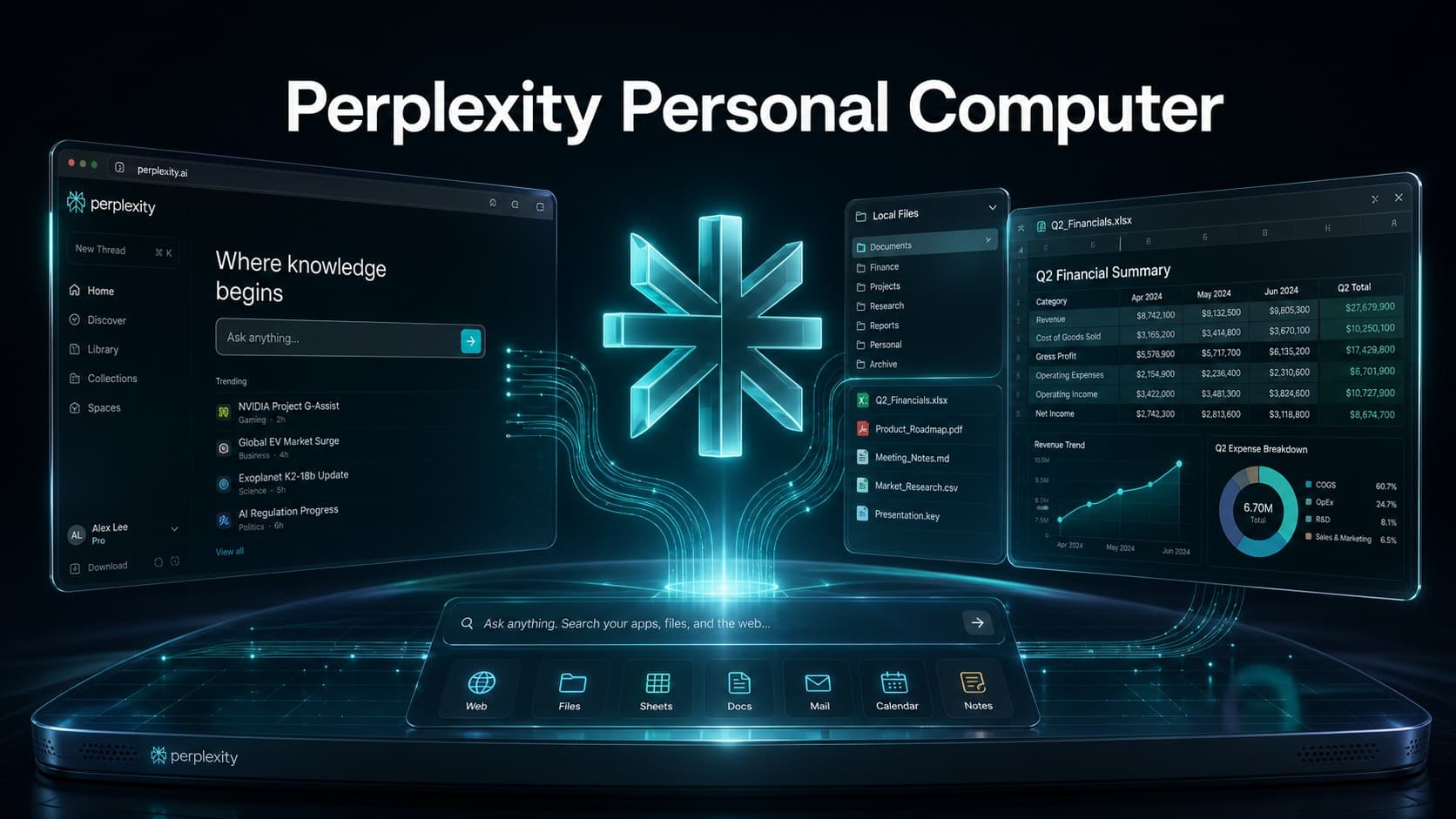
Perplexity Personal Computer marks a practical shift toward the next generation of productivity tools, moving artificial intelligence beyond conversational browser tabs into a functional AI desktop agent integrated into the desktop environment. Built to bridge the gap between live web intelligence, local file systems, and supported desktop applications, the software enables users to delegate multi-step workflows, extract online insights, and manipulate local documents under strict, user-defined permissions.
What Is Perplexity Personal Computer?
Perplexity defines Personal Computer as a direct superset of its cloud-based Computer engine. Rather than functioning as a lightweight local viewer, it combines the autonomous reasoning of Computer with native local file access, supported workplace applications, on-device context, and web navigation.
While standard Perplexity Search focuses on direct Q&A retrieval and Perplexity Computer functions as a cloud-native background worker, Personal Computer extends that intelligence into the user’s local desktop environment on Windows and macOS, allowing it to work with locally stored files, supported applications, and other resources the user authorizes.
How Does Perplexity Personal Computer Work?
The system operates on an integrated architecture that combines multi-model intelligence with disciplined system-level boundaries:
1. Multi-Model Orchestration
The engine can orchestrate agent workflows across more than 20 leading frontier models, allowing different stages of a task to be handled according to the workflow’s requirements.
2. Controlled Local Environment Access
The agent operates within the operating system strictly according to the folders and boundaries explicitly authorized by the user. This allows the AI to read, process, and generate local documents without granting unrestricted or indiscriminate access to the entire hard drive.
3. The Role of the Comet Browser in Web Automation
Personal Computer integrates closely with the Comet browser to execute web-based search, navigation, and automated tasks. Comet allows the agent to interact with live websites, navigate authenticated sessions, fill forms, and retrieve real-time data, feeding that information directly back into local files and ongoing workflows.
What Can Perplexity Personal Computer Do?
The platform translates open-ended search queries into concrete execution across several core functional areas:
Local File Management and Document Editing
Within designated folders, the agent can perform practical file operations, including:
- Rapidly searching the contents of local documents and records.
- Reading and extracting data from supported file formats.
- Creating new files and editing existing project documents.
- Organizing directories, sorting the Downloads folder, and renaming or moving files according to custom instructions.
Workplace Integration and Microsoft 365
The agent operates within enterprise productivity suites. On Windows, Personal Computer links Microsoft 365 applications-including Word, Excel, PowerPoint, Outlook, and Teams-with local files and live web research, simplifying spreadsheet audits, report writing, and document preparation.
Hybrid Web and Desktop Workflows
Users can chain web discovery directly to local document production. For example, the agent can gather the latest market pricing data online, update specific rows and columns in an existing local Excel spreadsheet, and generate an executive summary in Word without requiring manual copy-pasting.
Background Task Execution
The agent can process computational research, file structuring, and data extraction tasks in the background, allowing users to focus on other work until the final deliverables are prepared for review.
Perplexity Computer vs. Personal Computer: What Is the Difference?
To clarify the distinction between Perplexity Computer vs Personal Computer and standard search, here is how each tier operates:
1. Perplexity Search (Web & Mobile App)
- Primary Function: Real-time conversational search, source citation, and rapid summaries.
- Operating Environment: Web browsers and mobile applications via cloud endpoints.
- File Access: Limited to files manually uploaded within a single chat session or connected cloud spaces.
- App Interaction: No interaction with native desktop software.
- Workflow Style: Instant query-and-response interactions.
2. Perplexity Computer (Cloud Agent)
- Primary Function: Autonomous long-running research, coding, and multi-step project execution.
- Operating Environment: Isolated cloud runtimes and server sandboxes.
- File Access: Connects to cloud repositories and web services via App Connectors.
- App Interaction: Interacts with cloud APIs, web tools, and online platforms.
- Workflow Style: Background cloud workflows that operate independently of local hardware.
3. Perplexity Personal Computer (Desktop Agent)
- Primary Function: Expands cloud agent capabilities into the user’s local operating system.
- Operating Environment: Native desktop applications for Windows and macOS.
- File Access: Direct read, write, create, and edit permissions within user-selected local folders.
- App Interaction: Bridges supported applications, the Comet browser, and local file directories.
- Workflow Style: Floating command bar, voice interaction, background tasks, and local desktop workflows.
Real-World Use Cases
These practical examples illustrate how desktop AI automation applies to daily knowledge work:
Scenario 1: Generating a Market Intelligence Brief
- Objective: Compile recent industry developments and update an internal report.
- Workflow: Instruct the agent to search the web for the latest quarterly semiconductor industry updates, summarize the top three strategic shifts, and append the findings with citations directly into a local draft document.
Scenario 2: Auditing and Updating Financial Spreadsheets
- Objective: Refresh pricing models or balance sheets against live market indicators.
- Workflow: Open a local Excel file, compare specific asset values against real-time exchange rates gathered online, update target figures, and maintain original formulas while creating a clean draft for review.
Scenario 3: Extracting Action Items from Meeting Records
- Objective: Transform unstructured meeting notes into project roadmaps.
- Workflow: Scan a local text file containing raw meeting minutes, identify key decisions and task owners, and draft a structured email summary ready for final approval.
Scenario 4: Organizing Chaotic Local Directories
- Objective: Clean and structure unorganized project assets.
- Workflow: Scan an authorized Downloads folder, rename invoices systematically, and sort files into dedicated project directories according to specified instructions.
Security and Privacy: What Can the Agent Access?
Granting an AI agent system-level access requires strict security safeguards. Perplexity implements several defensive layers to maintain data privacy and user control:
- User-Designated Folder Boundaries: The agent cannot scan the entire hard drive indiscriminately; users choose specific folders and directory paths, with the ability to modify or revoke access at any time.
- Sandboxed Execution: Computational and code-execution tasks run within isolated virtual environments to prevent unintended alterations to critical operating system files.
- Human-in-the-Loop Confirmation: Sensitive or potentially consequential actions may require user confirmation before execution, depending on the task and the permissions involved.
- Native System Permissions: The application relies on standard operating system permission frameworks on Windows and macOS, ensuring clear administrative oversight.
How to Use Perplexity Personal Computer Step-by-Step
Understanding how to use Perplexity Personal Computer involves platform-specific setup paths for eligible subscribers (available on Perplexity Pro, Max, and Enterprise plans):
Setup Steps for Windows:
- Download and install the official Perplexity desktop application from the Microsoft Store or official site.
- Sign in using your eligible subscription account (Pro, Max, or Enterprise).
- Complete the initial Sandbox Provisioning setup as prompted inside the app.
- Enable the Local File System Access toggle in the settings.
- Select the specific local folders you want the agent to access and manage during tasks.
Setup Steps for macOS:
- Install the Perplexity desktop app on macOS (requiring macOS 15 Sequoia or later) and sign in.
- Install the Comet browser to enable advanced web automation workflows.
- Grant required macOS permissions: Accessibility, Screen & System Audio Recording, and Full Disk Access for target folders.
- Link the directories and project folders you want the agent to use.
- Set up your global keyboard shortcut to summon the floating command bar, and configure voice mode or mobile remote oversight if needed.
Perplexity Personal Computer vs. ChatGPT and Claude: What Is the Real Difference?
Multi-step execution is no longer exclusive to a single platform. Perplexity, ChatGPT, and Claude have all evolved from conversational assistants into agentic systems capable of executing meaningful work. The real comparison is no longer about who can use a computer, but rather the execution environment, data access methodology, web-app integration, and the specific workflow each system is optimized for.
Perplexity Personal Computer
Perplexity’s core advantage lies in seamlessly merging real-time web discovery with local file management within a single operational loop. Users define local workspace directories, allowing the agent to utilize live online sources alongside local documents. Through its Comet browser integration, it navigates websites and automates online research before applying those findings to local Word documents and Excel sheets on Windows or native productivity software on macOS.
This architecture is particularly effective for users whose work regularly starts with live web research that must be synthesized directly into local files and workplace applications.
ChatGPT by OpenAI
OpenAI has expanded ChatGPT into a multi-step task engine through ChatGPT Work. Designed for complex analysis, file manipulation, and application interactions, it focuses on generating tangible assets like spreadsheets, documents, presentations, and reports directly within the broader OpenAI ecosystem.
While Perplexity prioritizes live web retrieval tied to local files and Comet, ChatGPT Work situates agentic capabilities within OpenAI’s expansive toolset, connected services, and custom environments. Users already embedded in the OpenAI ecosystem who need to conduct analytical work and produce structured assets in-platform will find ChatGPT Work a natural fit.
Claude by Anthropic
Anthropic approaches desktop agency through Claude Cowork, which emphasizes delegating complex, multi-step workloads rather than prompting each step manually. Operating through the native desktop app on both Windows and macOS, Cowork is designed to manage projects comprising multiple files, data sets, and complex document outputs.
Claude Cowork is particularly suited to workflows centered on multiple local documents and project files, where the goal is to synthesize information and produce structured deliverables, supported by Anthropic’s developer-focused Computer Use capabilities for programmatic interface navigation.
Which Tool Fits Your Workflow?
If your daily workflow typically begins with a request like “Search the web for the latest industry data, analyze it, and update my local spreadsheets and reports,” Perplexity Personal Computer provides a particularly natural fit for this type of hybrid workflow.
If your tasks center around end-to-end analysis, generation, and multi-app orchestration inside OpenAI’s connected ecosystem, ChatGPT Work offers an integrated approach within the broader OpenAI ecosystem.
If your work revolves around delegating deep document synthesis across multi-file project directories, Claude Cowork is well suited to this type of multi-file document workflow.
Because the capabilities of these tools continue to evolve rapidly, the best choice depends on the actual workflow you want to delegate rather than static feature comparisons.
From Chatbots to Executive Desktop Partners
The true value of Perplexity Personal Computer lies in removing the repetitive manual friction between discovering information on the internet and applying it to your local files and applications. Rather than attempting to replace human oversight, it acts as a focused digital partner that handles the tedious stages of research, organization, and document updating. As desktop agent ecosystems mature across Windows and macOS, Personal Computer provides a clear, practical preview of interactive, automated personal computing.