Krea 3: The 2K AI Image Editing Model Built for Production Speed
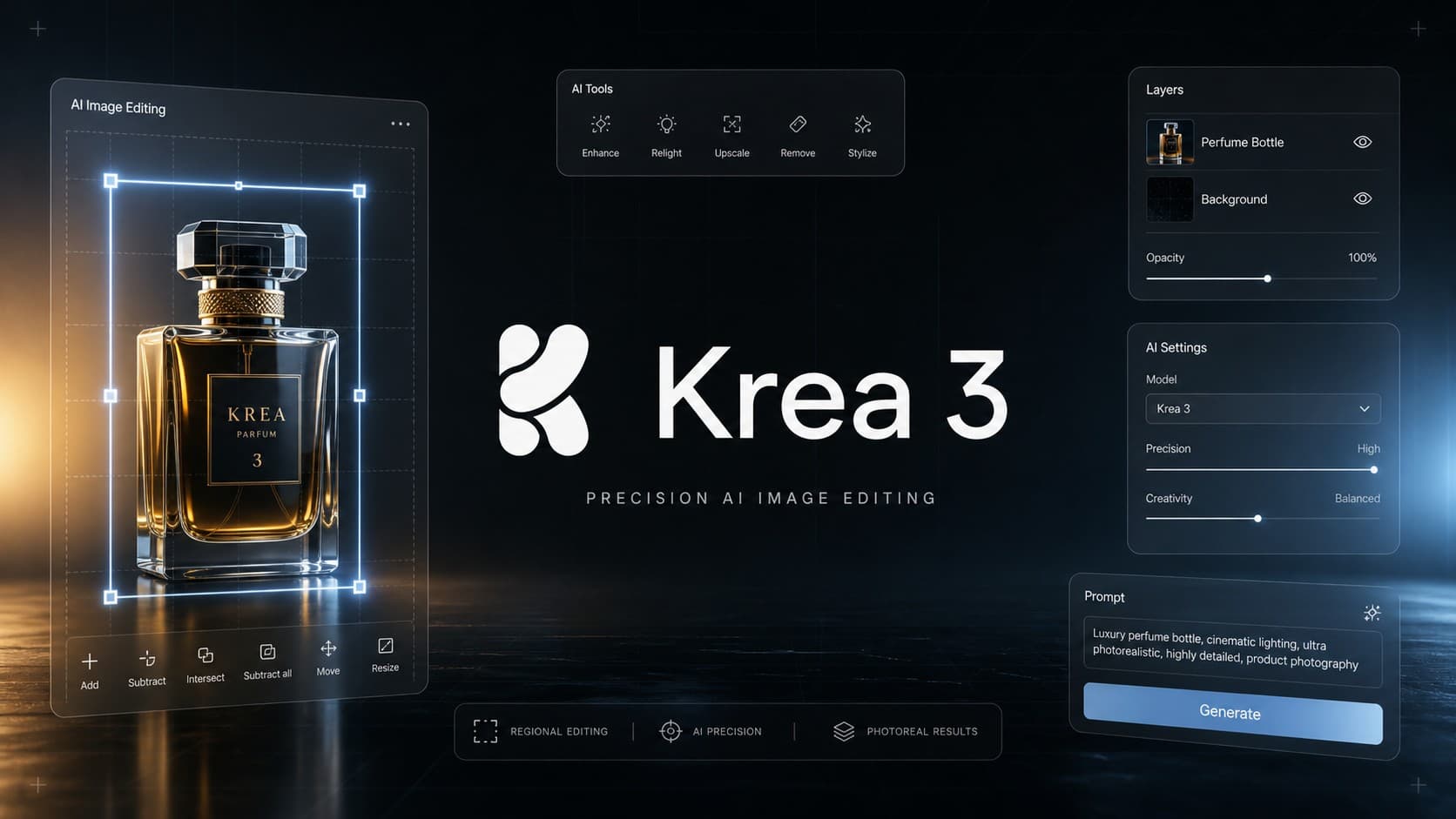
On October 15, 2026, Krea launched its new model, Krea 3. The model is designed for targeted image edits, with an emphasis on preserving product details, packaging, and character appearance rather than generating images from blank prompts alone. Krea says most 2K edits take under eight seconds and cost $0.06 per image. In the company’s published comparison, Krea 3 was faster and less expensive than Nano Banana Pro and GPT Image 2 under the tested conditions.
today we open the beta for Krea 3, a new frontier for image editing.
– end-to-end 2k edits in under 8s.
– matches Nano Banana Pro or GPT Image 2.5 quality.
– bounding box control and precise multi-turn edits.learn and get access 👇 pic.twitter.com/eVQTfy69m1
– Krea (@krea_ai) October 15, 2026
What is Krea 3 and What Makes It Stand Out?
Released five months after Krea 2, Krea 3 puts a stronger emphasis on editing existing images rather than creating images from text alone. It is trained as an independent model rather than a distilled copy of a larger system. The model is designed to make localized changes while keeping the rest of the image as consistent as possible.
Krea’s interface also appears to encourage image-based editing, although the available options depend on the workflow. This differs from the broader generation and video tools found in the Krea AI platform . At the same time, this release pauses several signature Krea 2 features-such as Style Transfer and the Flora engine-which remain gated behind waitlists to prioritize core editing capabilities.
Key Features of Krea 3 in Image Editing
Krea 3 packages several specialized capabilities engineered to handle precision and consistency challenges:
1. Precise Edit Mode
The core editing tool relies on regional bounding boxes. Users can draw a selection box directly over the element they want to alter-such as swapping a jacket or replacing an armchair-and Krea 3 regenerates only the area inside the box. Pixel measurements outside the bounding box show minimal to zero change, helping to keep camera angles, perspective, and original environmental lighting intact.
2. Product and Label Preservation
One challenge in AI-assisted product photography is preserving details such as logos, labels, and packaging when changing a scene. Krea 3 takes isolated studio packshots on plain backgrounds and places them into lifestyle scenes. The model is designed to preserve logos, printed labels, and packaging details, though the results should be checked before commercial use.
3. Up to 8 Visual References and Exact Hex Color Matching
The model supports up to 8 reference images per edit to guide specific elements (such as product references, character likeness, or lighting styles). It also features exact color matching via hexadecimal codes like #FFC12E or #7EC8F2, applying the target shade strictly to the designated item without shifting the surrounding ambient palette.
4. Character and Asset Consistency Across Sequences
Krea 3 maintains recognizable facial likeness and styling across sequential edits, even when altering camera angles, clothing, or scene settings. This makes it useful for sequential ad campaigns, lookbooks, and storyboards without the facial distortion common in multi-prompt workflows.
5. Native 2K Output and Speed Benchmarks
Krea 3 outputs native 2K resolution (up to 2736 × 1536 pixels) in under 8 seconds end-to-end according to company benchmarks. In Krea’s published tests against competing models:
- Krea 3: Under 8 seconds per edit (~$0.06 per 2K image).
- Nano Banana Pro: Between 27 and 33 seconds (~$0.135 per image).
- GPT Image 2 / 2.5: Between 40 and 90 seconds (~$0.21 to ~$0.22 per image).
What Are the Use Cases for Krea 3?
Potential uses for Krea 3 include product photography, image editing, and preparing visual assets for marketing campaigns:
- E-commerce and Product Photography: Early feedback from platforms like Pixelcut highlights natural studio-style lighting, allowing smaller teams to convert basic product photos into lifestyle shots without expensive photo shoots.
- Image Cleanup and Grain Removal: The model can function as a post-processing step, helping to remove visible noise patterns from images produced by other generators (such as GPT-generated images) and smooth skin textures naturally.
- Editing Costumes and Stylized Characters: In hands-on testing, Krea 3 permitted outfit changes on stylized or comic-style character art that sometimes trigger automated moderation flags in competing tools, making it more flexible for genre illustration.
- First-Frame / Last-Frame Video Conditioning: Creators can use Krea 3 to generate clean target endpoint frames for video generation models, helping to avoid continuity issues like disappearing props or shifting proportions.
- Architectural Sketch-to-Render Workflows: The model can interpret line drawings and flat color palettes, rendering them into architectural visuals while respecting drafted perspectives and designated materials.
Tips for Writing Better Prompts in Krea 3
These prompting tips may help you make more targeted edits and reduce the need for repeated attempts:
- Start with what stays: Open your prompt with clear retention directives such as “Keep the product exactly as it is”, explicitly naming critical assets like labels or logos.
- Describe changes like a photographer: Focus on technical camera direction, lighting setups, and depth of field rather than vague aesthetic adjectives.
- Assign roles to reference images by number: Clearly designate the function of each upload (for example, “Image 1 is the room, Image 2 is the sofa, Image 3 is the fabric texture”).
- Use restrictive qualifiers: Use words like “only” to constrain the generative scope, such as “Change only her coat to cobalt blue”.
Pricing, API Integrations, and Ecosystem
Krea has rolled out Krea 3 with a deployment strategy aimed directly at production-scale workloads:
- API Pricing: The list price is set at $0.06 per 2K edit and $0.03 per 1K edit. Krea stated these are standard list prices rather than temporary promotional rates, with expectations for costs to decrease as infrastructure matures.
- Cloud Distribution: Beyond Krea.ai, the model is served via infrastructure providers including Fal.ai, Together AI, Replicate, OpenRouter, and Baseten, alongside official Partner Nodes in ComfyUI.
- Creative Software Plugins: Direct integration plugins connect Krea 3 into mainstream post-production tools, including Photoshop, After Effects, Premiere Pro, DaVinci Resolve, and Blender.
- Enterprise Self-Hosting: Dedicated enterprise agreements allow organizations to deploy and run Krea 3 on their own private cloud GPU clusters to meet strict data privacy and IP requirements.
Limitations and Real-World Drawbacks
There are also a few limitations to consider, particularly when choosing Krea 3 for tasks beyond targeted image editing:
- Subpar Text-to-Image Generation: Using Krea 3 to build scenes from pure text prompts without visual references yields generic, flat results compared to dedicated creative generators.
- Flatter Multi-Element Composites: When asked to assemble multiple independent, highly complex elements into a single dramatic cinematic frame, Krea 3 tends to blend layers into a flatter composition than models like GPT Image 2.
- Delayed Legacy Features: Flagship capabilities from Krea 2, including the Flora engine and flexible Style Transfer, were not available at launch and remain gated behind waitlists.
Frequently Asked Questions About Krea 3
What is the difference between Krea 3 and Krea 2?
Krea 3 focuses primarily on image editing and controlled modifications while preserving original visual details as closely as possible. Krea 2, by contrast, acts as a general foundation model for image generation with broader artistic features like style transfer. Choosing between them depends on your specific workflow needs and the features available in each version.
Can Krea 3 edit an existing image without changing the rest of the scene?
The model is specifically designed to execute localized edits while leaving untouched areas intact. This is particularly useful for swapping product backdrops, modifying clothing, or adding isolated objects. However, subtle shifts can occasionally occur around the perimeter of the edit zone, so commercial assets should always be inspected before publication.
How much does Krea 3 cost via API?
According to the official pricing documentation, standard API rates are $0.06 per image at native 2K resolution and $0.03 per image at 1K resolution. Final costs may vary depending on operational configurations, batch parameters, and third-party host surcharges.
Does Krea 3 support reference images?
Yes. Reference images can guide stylistic direction and lock in specific visual characteristics such as product geometry, actor likeness, and lighting. The maximum reference limit may vary depending on whether you access the model via the web app, ComfyUI, or direct API endpoints.
Is Krea 3 suitable for e-commerce product photos?
It is well-suited for building marketing scenes around product packshots, such as replacing backgrounds, adjusting scene lighting, or placing items in lifestyle contexts. However, brand teams should carefully verify logos, typography, and color fidelity, particularly when exact product matching is required for retail listings.
Can Krea 3 be used inside Photoshop and other design software?
Krea maintains plugins across several post-production applications, including Photoshop, After Effects, Premiere Pro, DaVinci Resolve, and Blender. However, plugin availability across the Krea ecosystem does not guarantee instant native support for Krea 3 within every host app; users should confirm plugin version compatibility before integrating it into daily pipelines.
Is Krea 3 Worth Trying?
Krea 3 may be useful for teams that frequently edit product images or marketing visuals. While it is not designed to replace dedicated text-to-image generators, its speed and localized editing controls are worth considering, though results should still be checked carefully before images are used commercially.