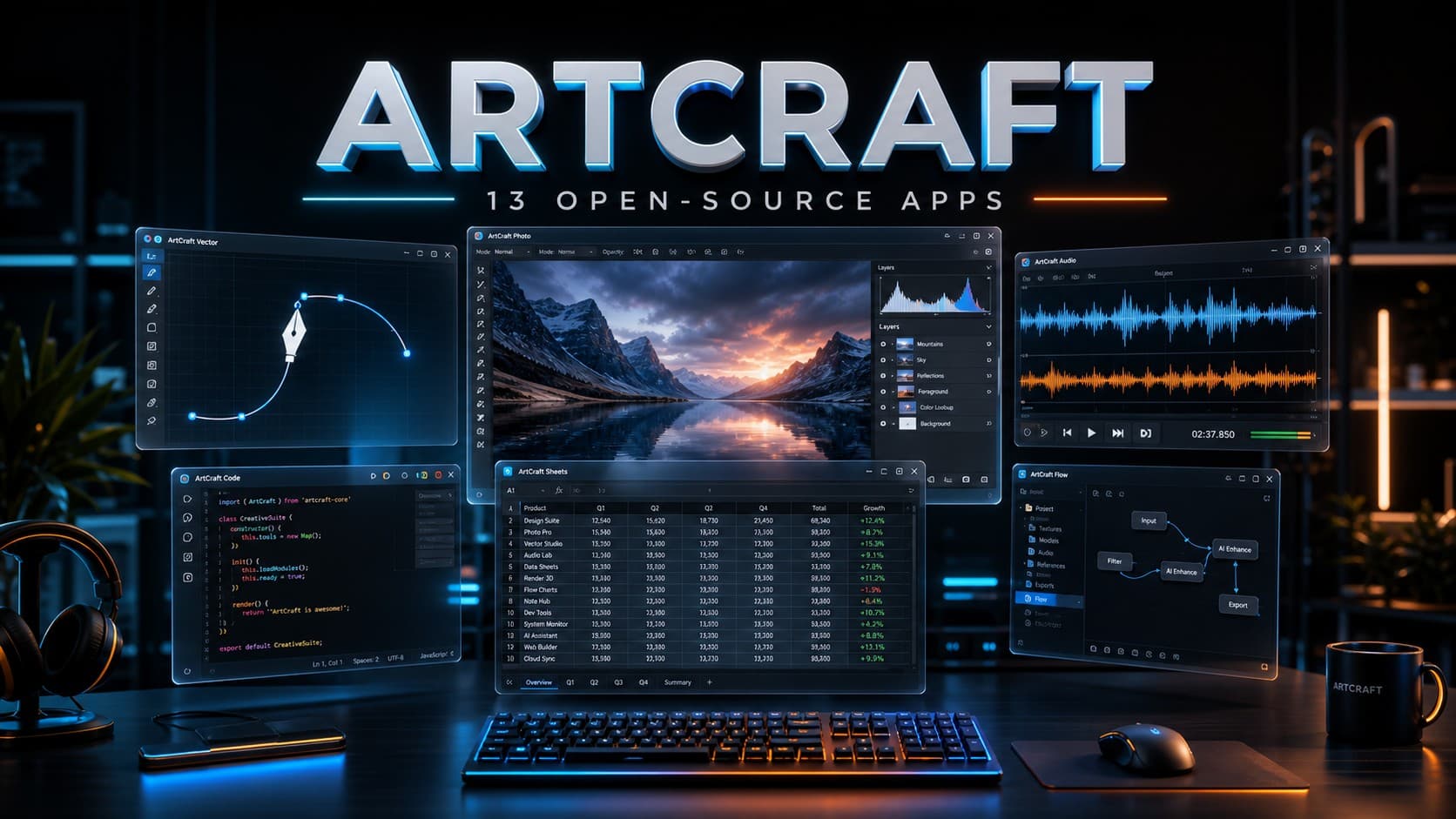
ArtCraft Expands Its Open-Source Suite to 13 Apps After Adobe
ArtCraft started as a project to build free, open-source alternatives to popular creative software, using AI-assisted development to help create desktop applications. The initial lineup focused on tools similar to Adobe’s creative suite, but the project has since expanded into document editing, spreadsheets, presentations, audio production, and CAD.
As of October 2026, ArtCraft offers 13 applications covering tasks ranging from photo editing and video production to PDF management and presentation design. The apps are available for Windows, macOS, and Linux, and their source code is publicly available. However, being an open-source alternative does not automatically mean an app offers all the features of its commercial counterpart. Several ArtCraft applications are still under active development, and their compatibility and capabilities vary.
What Is ArtCraft?
ArtCraft is a software project developing open-source desktop applications with Rust and AI-assisted coding. Its apps aim to cover some of the same workflows as established programs such as Adobe Photoshop, Illustrator, Premiere Pro, and InDesign. The project has also expanded beyond creative software to include tools for documents, spreadsheets, presentations, and other productivity tasks.
Rather than offering only browser-based AI tools, ArtCraft focuses on installable applications that users can run on their computers and use with local files. The project also emphasizes programmatic control, allowing supported apps to interact with automation tools and AI agents through interfaces such as command-line tools, JSON control channels, and the Model Context Protocol (MCP).
What’s New in ArtCraft in October 2026?
ArtCraft has grown beyond its original collection of Adobe-style alternatives. Its current lineup includes productivity apps for documents, spreadsheets, and presentations, along with tools for audio production, interface design, and computer-aided design.
On October 18, 2026, new updates were released for several applications, including PhotoCraft, VectorCraft, FilmCraft, LightCraft, PdfCraft, EffectCraft, and DesignCraft. WordCraft, GridCraft, DeckCraft, CADCraft, and SoundCraft also reached version 0.8.0, while FigCraft reached version 0.7.0.
Some of the recent changes address practical workflows rather than just minor interface adjustments. WordCraft added support for opening certain password-protected legacy Word documents and improved the preservation of charts and their data when saving supported documents. DeckCraft introduced additional SmartArt editing options and animated GIF export. GridCraft received fixes for long formulas and recalculation issues involving large cell ranges.
These updates show that development is continuing across the collection. However, the apps are not equally mature, and the latest releases do not mean that every tool is ready to replace professional software in all workflows.
All 13 ArtCraft Apps and What They Do
ArtCraft currently covers creative work, productivity, audio, and technical drawing. The following table summarizes each application and the established software it aims to offer an alternative to.
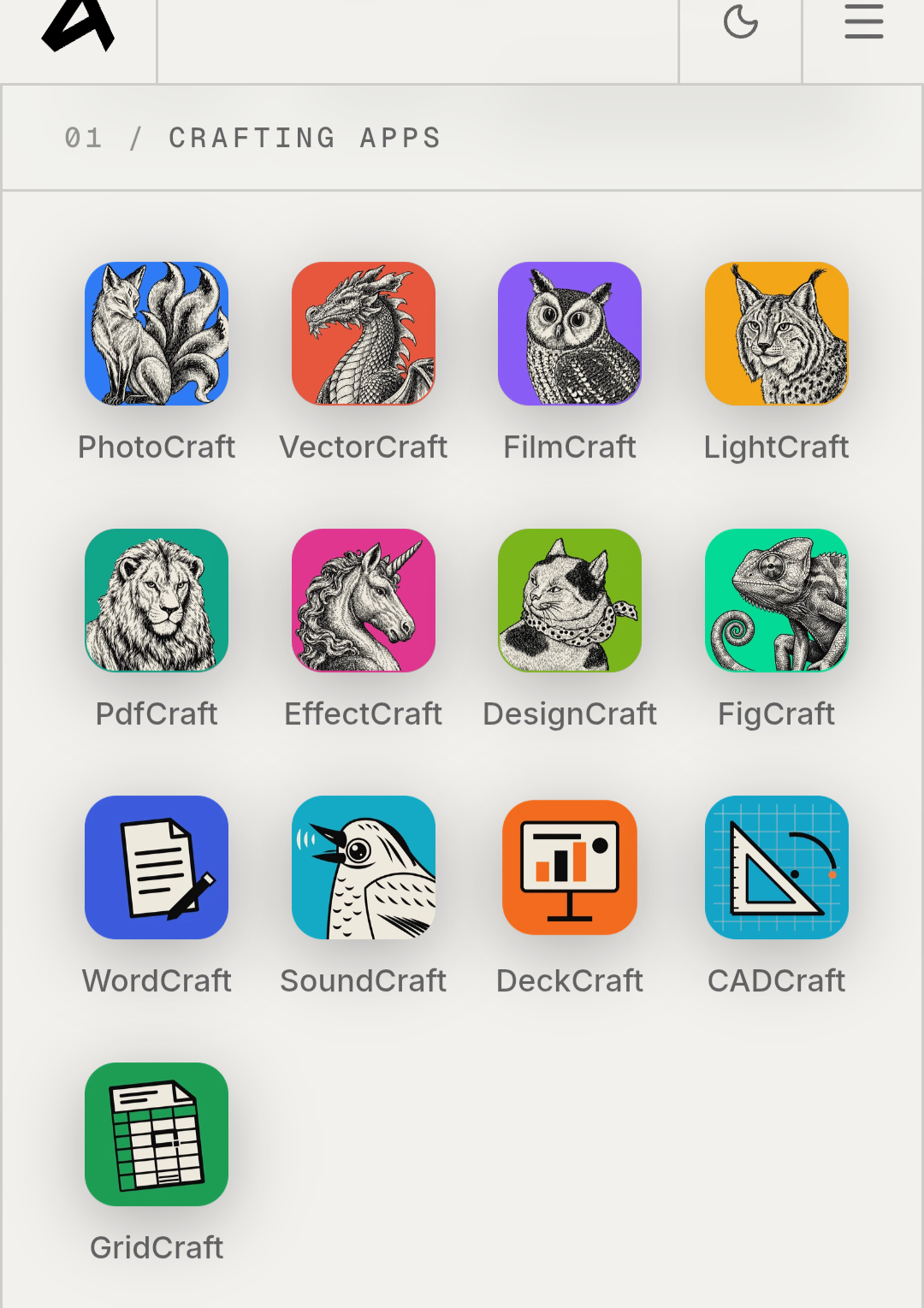
| App | Main purpose | Comparable software |
|---|---|---|
| PhotoCraft | Photo editing and layer-based workflows | Adobe Photoshop |
| VectorCraft | Vector illustration and design | Adobe Illustrator |
| FilmCraft | Video editing | Adobe Premiere Pro |
| LightCraft | Photo library management and RAW development | Adobe Lightroom |
| PdfCraft | PDF viewing and document workflows | Adobe Acrobat |
| EffectCraft | Visual effects and motion graphics | Adobe After Effects |
| DesignCraft | Page layout and desktop publishing | Adobe InDesign |
| FigCraft | Interface design and prototyping | Figma |
| WordCraft | Word processing and document creation | Microsoft Word |
| GridCraft | Spreadsheets and data analysis | Microsoft Excel |
| DeckCraft | Presentation creation | Microsoft PowerPoint |
| SoundCraft | Audio recording, editing, and mixing | Avid Pro Tools |
| CADCraft | Computer-aided design and drafting | Autodesk AutoCAD |
These comparisons describe each app’s intended role. They do not imply complete feature parity or full compatibility with the corresponding commercial product.
1. PhotoCraft for Photo Editing
PhotoCraft targets users who need to edit images and work with layers, masks, and text. It aims to cover some of the workflows commonly associated with Adobe Photoshop.
In practical testing, PhotoCraft was able to open certain multilayer PSD files and save them while preserving their layers. This makes it worth testing for image-editing tasks, particularly for users interested in open-source desktop software.
However, compatibility with PSD files does not guarantee that every effect, adjustment, or advanced feature will transfer correctly. Users working with complex Photoshop projects should test their files carefully and keep the originals before switching workflows.
2. VectorCraft for Vector Illustration
VectorCraft focuses on vector drawing and illustration, a category dominated by tools such as Adobe Illustrator. Vector graphics can be resized without the loss of image quality associated with raster graphics, making them useful for logos, icons, and scalable artwork.
The application received several updates in October. An earlier release introduced a Dimension tool and support for saving in the legacy AI v7 format.
These additions expand its capabilities, but they do not guarantee compatibility with every Illustrator document or feature. Users should test complex files before relying on VectorCraft for production work.
3. FilmCraft for Video Editing
FilmCraft is ArtCraft’s video-editing application and aims to cover some of the workflows associated with Adobe Premiere Pro.
It is still under active development, so it should be treated as an experimental alternative rather than a complete replacement for professional video-editing software. One important limitation is that Premiere Pro project files in the PRPROJ format are not supported, according to published testing.
Being able to import a video clip is not the same as being able to migrate an entire editing project, including its timeline, effects, and other project-specific settings. Users considering a switch should test their editing workflow before moving existing projects.
4. LightCraft for Photo Organization and RAW Development
LightCraft focuses on organizing photo libraries and developing RAW images, tasks commonly associated with Adobe Lightroom. It may appeal to photographers looking for an open-source desktop tool for managing and processing their images.
Before moving an existing library, users should test the RAW formats, editing adjustments, and organizational features they rely on. Support can vary between applications, and processing results should not be assumed to match Lightroom exactly.
5. PdfCraft for PDF Workflows
PdfCraft is ArtCraft’s application for working with PDF documents and aims to cover some of the use cases associated with Adobe Acrobat.
Published hands-on testing showed that the app could open a PDF document containing multiple pages. However, opening a file does not necessarily mean that advanced features such as complex forms, digital signatures, and specialized editing workflows are fully supported.
PdfCraft is worth evaluating for the specific PDF tasks a user needs, but those who depend on advanced document features should verify support before adopting it.
6. EffectCraft for Visual Effects and Motion Graphics
EffectCraft targets visual effects and motion graphics, a field in which Adobe After Effects is widely used. It adds another creative category to ArtCraft’s growing collection.
The application remains under development. Importing a video clip does not mean that EffectCraft can open native After Effects projects or reproduce every effect and composition. Users working with established VFX projects should check format support and test their workflows before considering a migration.
7. DesignCraft for Page Layout and Desktop Publishing
DesignCraft focuses on page layout and publishing, tasks commonly handled by Adobe InDesign. It is intended for users who want an open-source option for arranging content and preparing publication layouts.
Published testing demonstrated that the app could open IDML files in specific cases. However, compatibility with individual layouts, fonts, and advanced document features can vary. Users should inspect imported files carefully to make sure their formatting and layout have been preserved.
8. FigCraft for Interface Design and Prototyping
FigCraft focuses on user-interface design and prototyping, making it relevant to designers working on digital products and application interfaces.
Its inclusion expands ArtCraft beyond traditional image editing and desktop publishing. However, FigCraft should not be treated as a feature-for-feature replacement for Figma. Users should verify support for their existing projects, export requirements, collaboration workflows, and other essential features before switching.
9. WordCraft for Document Editing
WordCraft is a word processor designed to provide an open-source alternative to Microsoft Word.
Recent updates added support for opening certain password-protected legacy Word documents and improved the preservation of charts and their data when saving supported documents.
These improvements may be useful for users working with existing Office files, but document compatibility can depend on formatting complexity, fonts, embedded objects, and advanced features. Testing important documents before relying on WordCraft is recommended.
10. GridCraft for Spreadsheets and Data Analysis
GridCraft is ArtCraft’s spreadsheet application and aims to cover some of the functionality associated with Microsoft Excel. It is intended for creating spreadsheets, working with formulas, and handling data.
Recent updates addressed issues involving long formulas and recalculation after large cell ranges were cleared. These changes improve aspects of spreadsheet handling, but users should test complex formulas, macros, and advanced Excel features before moving important workbooks to GridCraft.
A similar purpose does not guarantee identical behavior across spreadsheet applications, particularly when files rely on specialized functions or automation.
11. DeckCraft for Presentations
DeckCraft is designed for creating presentations and aims to provide an open-source alternative to Microsoft PowerPoint.
Its October updates introduced additional SmartArt editing options through the Text Pane, along with more layouts, styles, and colors. The application also added animated GIF export, offering another way to share presentation content.
These features expand its presentation workflows, but imported PPTX files may still need review. Slides containing complex animations, unusual fonts, or advanced layouts should be checked after opening to ensure that their formatting and behavior remain intact.
12. SoundCraft for Audio Production
SoundCraft focuses on audio recording, editing, and mixing, bringing ArtCraft into a category associated with digital audio workstations such as Avid Pro Tools.
However, compatibility with professional audio-session formats remains an important consideration. Published testing has highlighted the lack of support for certain session-exchange formats, including AAF and OMF, which can limit workflows that involve moving projects between different audio applications.
SoundCraft may be worth exploring for users interested in open-source audio software, but professionals should verify format support and required production features before adopting it for established projects.
13. CADCraft for Technical Drawing
CADCraft is ArtCraft’s computer-aided design application, targeting some of the workflows associated with Autodesk AutoCAD.
In published testing, the app displayed a DXF drawing while preserving its proportions in the tested case. This suggests potential for users exploring open-source tools for technical drawing.
There are still limitations to consider. Unsupported entities may be lost when saving certain drawings, so users should test copies of their files and review the results before relying on CADCraft for important engineering work or deliverables.
How to Download ArtCraft Apps
The official ArtCraft apps page lists the available applications and provides a starting point for choosing the right tool. The collection offers applications for Windows, macOS, and Linux, while some apps also support running in a browser.
ArtCraft also provides the ArtCraft Launcher to help users install and update applications. Before installing an app, check its current release and operating-system requirements.
Because the applications are evolving quickly, it is sensible to test them using copies of important files first. Confirm that importing, editing, saving, and exporting work as expected before moving an existing project to a new application.
How ArtCraft Connects With AI Agents
ArtCraft is not focused solely on building applications with interfaces similar to familiar commercial software. Its project also emphasizes programmatic control, allowing supported apps to interact with automation tools and AI agents.
The available interfaces include command-line tools, a JSON control channel, and Model Context Protocol (MCP) support. These mechanisms can allow compatible AI agents to issue commands and automate supported tasks inside an application rather than simply describing how a user should perform them.
For example, programmatic control could be useful for repetitive operations or workflows involving multiple files. The actual capabilities depend on the commands exposed by each application and the agent being used.
MCP support does not mean that an AI agent can automatically perform every task or understand every request. Users still need to verify the results, especially when working with complex creative projects or important documents.
Can ArtCraft Replace Adobe and Microsoft Office?
The answer depends on the application and the work involved. ArtCraft offers free, open-source alternatives that users can try for specific tasks, but the collection should not yet be considered a complete replacement for every commercial creative or productivity tool.
Published hands-on testing found that some apps could open common formats, including PSD, PDF, SVG, PPTX, DXF, and IDML files in the tested cases. Other limitations were also identified, including missing support for Premiere Pro project files, limitations around After Effects projects, audio-session exchange, and certain CAD entities.
These differences matter because file compatibility is only one part of a professional workflow. Users may also depend on advanced effects, specialized features, collaboration tools, or precise export behavior.
ArtCraft is best viewed as a growing collection of open-source projects with different levels of maturity. It may appeal to developers, enthusiasts, and users interested in testing alternatives to commercial software. Designers and other professionals should evaluate each application against their actual requirements before relying on it for daily work.
Are ArtCraft Apps Worth Trying?
ArtCraft has expanded from a collection of Adobe-style alternatives into a 13-app suite that includes productivity, audio, interface-design, and CAD tools. Its October 2026 releases demonstrate continued development, with practical improvements to image editing, spreadsheets, presentations, and document handling.
The project is also notable for combining AI-assisted software development with programmatic control that can support automation through compatible tools and agents.
Still, free access and open-source code do not guarantee feature parity with established commercial applications. If you are looking for an alternative to a specific program, start with the ArtCraft app that matches your needs and test it with copies of your own files. That is a more reliable way to assess its usefulness than assuming every app in the collection is ready to replace its commercial counterpart.
SEO recommendations
- SEO title: ArtCraft Expands to 13 Open-Source Apps With New Updates
- Meta description: ArtCraft now offers 13 open-source apps for creative work and productivity, with new updates to photo editing, vector design, documents, spreadsheets, and presentations.
- Suggested slug:
artcraft-apps-updates - Primary keyword: ArtCraft apps
- Secondary keywords: ArtCraft open-source apps, Adobe alternatives, open-source creative software, free productivity apps, AI-assisted app development
- Search intent: Informational – users want to understand what ArtCraft offers, what has changed recently, and whether its apps can replace established creative and productivity software.
- Editorial note: Keep the limitations section. It differentiates the article from pages that simply list ArtCraft as a set of free alternatives, and helps readers assess the apps realistically.