ChatGPT Integrates with Apple Messages on Mac to Read Texts and Draft Replies
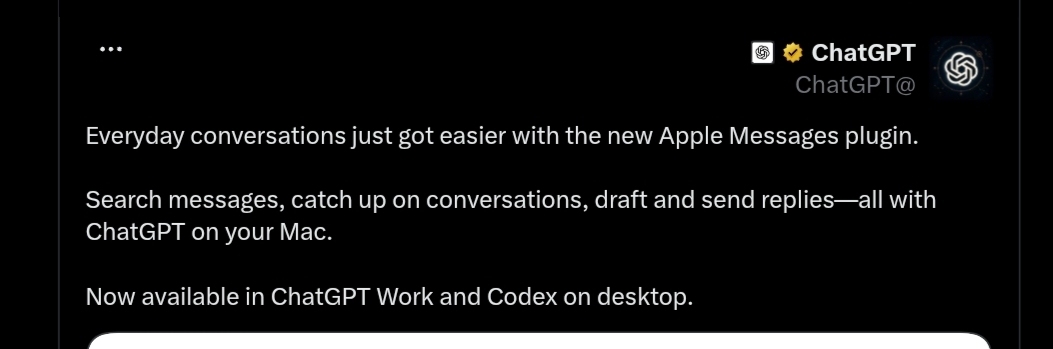
OpenAI has announced a new integration for ChatGPT on Mac, allowing the AI assistant to interact with Apple’s native Messages app. This step expands ChatGPT’s capability to work with local desktop applications, moving beyond simply answering prompts and generating content within isolated chat windows.
The unified ChatGPT desktop app on macOS combines Chat, Work, and Codex experiences into a single application, offering agent-like capabilities and deeper local workspace integration. Currently, the desktop app requires macOS 14 or later and supports both Apple Silicon (M1 or newer) and Intel-based Macs.
Bringing Messages into this ecosystem means users can leverage the assistant’s intelligence while managing text conversations on their Mac, while data access and actions remain strictly bound by system permissions and approval gates.
How Does ChatGPT Interact with Apple Messages?
This integration relies on ChatGPT’s ability to interface with local Mac applications through user-defined permissions. This allows the assistant to retrieve and analyze context directly from the messaging app, eliminating the need for users to manually copy and paste chat histories into ChatGPT.
The Apple Messages ecosystem unifies various conversation standards, including iMessage, SMS, and RCS, depending on the network, device, and carrier in use. Consolidating these conversations inside the macOS Messages app allows the assistant to handle them through a single local gateway.
It is important to note that this integration does not turn the Messages app into a remote control for ChatGPT from mobile devices; the functionality is strictly bound to the macOS desktop workspace and does not facilitate remote access to ChatGPT via the Messages app on iPhone.
iMessage, SMS, and RCS in the Messages App
While iMessage is Apple’s proprietary messaging network, SMS remains the legacy standard used to reach mobile numbers over cellular carrier networks.
RCS is a newer rich messaging standard that offers more advanced features than traditional SMS. It is now supported within the Messages app on newer Apple devices, subject to operating system and carrier support.
Distinguishing between the Messages app’s support for these varying formats and ChatGPT’s ability to analyze their contents is crucial. Consequently, the presence of RCS does not automatically guarantee that the assistant can parse or interpret rich media and advanced elements in the same manner across all formats.
Reading Messages and Searching Conversations
The core value of this integration lies in allowing ChatGPT to assist directly within the communication flow without requiring manual data transfer.
For instance, users can use ChatGPT to understand the context of a long conversation, locate specific details, and then use that information to prepare an appropriate reply.
These capabilities are particularly useful when managing long chat histories or extracting details spread across multiple threads, sparing users from tedious manual searches.
Drafting and Reviewing Replies Before Sending
The assistant can leverage the available message context to draft a reply, which can save considerable time in professional or personal communications requiring precise phrasing.
For example, a user can ask ChatGPT to draft a formal response to a client or prepare a quick reply regarding a meeting schedule, and then review the text before hitting send.
This stage is critical because deploying AI in direct messaging differs from standard content generation; once a message is sent, it reaches a real recipient, making human review an essential safety net.
Approval Gates and Consent Controls
OpenAI places a strong emphasis on approval gates when allowing connected integrations to execute actions on behalf of the user.
The permissions framework offers options to approve specific actions individually or grant persistent approval for future tasks, depending on user settings.
- One-time approval grants the user granular control over every single outgoing action.
- Persistent (continuous) approval can reduce friction and approval prompts in ongoing workflows.
Consequently, activating persistent permissions requires careful consideration, particularly for actions that communicate outward or send data to external parties.
Managing and Revoking Permissions
The ChatGPT desktop environment on macOS allows users to manage connected app permissions through the app settings, enabling them to change access levels or revoke permissions at any time.
This control is vital as ChatGPT expands into local workflows, ensuring users can dictate exactly which applications the assistant can interact with rather than granting open-ended device access.
Enterprise environments using managed ChatGPT workspaces can also apply administrative policies to restrict accessible apps and actions for employees, providing an extra layer of governance over sensitive data.
What Does This Mean for Message Privacy?
Integrating messaging applications with AI tools introduces unique privacy challenges, as text threads frequently contain highly personal or confidential professional details.
Therefore, users should carefully review granted permissions and exercise caution when enabling persistent approvals, doing so only when fully confident in the actions the assistant can perform.
It is also critical to differentiate between letting the assistant read local data and giving it the power to execute actions; the latter carries a higher impact, especially when it involves sending messages to third parties.
System Requirements for ChatGPT and the Messages Plugin on Mac
OpenAI specifies that the unified ChatGPT desktop app for macOS requires macOS 14 or later, and operates on Apple Silicon Macs (M1 and newer) as well as Intel-based Macs.
However, there is an important distinction regarding advanced features: OpenAI’s documentation notes that the Apple Messages plugin is exclusively supported on Apple Silicon (arm64 architecture) builds of the app, meaning Intel-based Mac users cannot run this plugin at this time. Furthermore, the Messages integration is only available within ChatGPT Work and Codex workspaces, and does not function in regular Chat threads.
OpenAI also notes that the new desktop app consolidates Chat, Work, and Codex, while the legacy desktop client remains supported under the name ChatGPT Classic.
A Step Forward as a Desktop Assistant
Integrating system services and local apps reflects a broader trend in ChatGPT’s evolution. Instead of acting as an isolated window where users type prompts, OpenAI is positioning the assistant to leverage local workspace context and complete tasks natively across daily applications.
This direction is evident in the new desktop workspace, which unites Chat, Work, and Codex to give users a consolidated space for conversations, professional tasks, and coding.
OpenAI defines these workspaces as follows:
- ChatGPT Work: Designed to complete workplace tasks using local tools, context, and daily productivity applications.
- Codex: Focused on engineering workflows, from planning and writing code to testing, reviewing, and deployment.
Consequently, the Messages integration is not just a minor plugin update; it represents a larger shift in how intelligent assistants operate on personal computers.
The Race for the Future of AI Assistants
These developments occur as AI companies race to make digital assistants more deeply connected to the apps and data people use in their everyday lives.
For OpenAI, extending the ChatGPT macOS app to work with local tools differentiates it from traditional conversational bots, enabling it to act on real-time workspace context rather than waiting for manual inputs.
As ChatGPT Work and Codex continue to mature, such integrations could become a standard layer of the computer experience-evolving the assistant from a simple Q&A tool into a cognitive layer that helps execute tasks across an entire software suite.
In this context, the Apple Messages integration is an incremental step toward building a digital assistant capable of understanding context and collaborating within a desktop environment, while leaving access and execution permissions strictly in the hands of the user or organization.