Photoeditor.ai: AI Photo Editing Tools Online
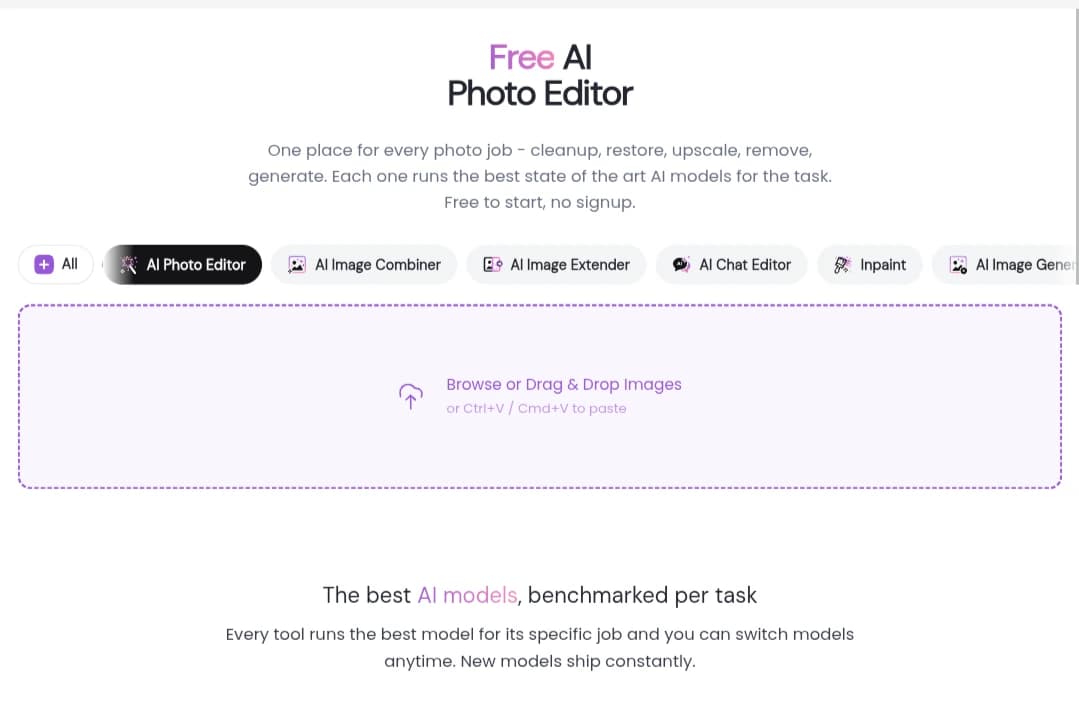
Photoeditor.ai is an online platform for editing and enhancing images with artificial intelligence. It offers more than 30 tools for removing unwanted objects, changing backgrounds, improving image quality, restoring old photos, and generating new images and logos, all directly in a web browser without the need for complex design software.
The platform uses multiple AI models, including GPT Image, Nano Banana, Gemini, and SeeDream. Users can choose between available models in supported tools, making it easier to experiment with different results for image editing and generation.
Key Photo Editing Tools
1. Remove Unwanted Objects and People
The AI Cleanup and Magic Eraser tools help remove distracting elements from photos, including people in the background, electrical wires, trash cans, and unwanted text. Users simply brush over the object they want to remove, and the AI fills the selected area with details that match the surrounding scene.
These tools are useful for improving travel photos, portraits, and product images without manually selecting and retouching every detail.
2. Remove and Change Backgrounds
The Background Remover and Background Changer tools separate the main subject from its surroundings and allow users to replace the original background. Images can be downloaded with transparent backgrounds in PNG format or placed against a solid color, a product-friendly setting, or a softly blurred scene.
These features are particularly useful for online stores, marketers, and content creators who need consistent product images, promotional visuals, or professional-looking portraits.
3. Enhance Image Quality and Increase Resolution
The platform includes tools for upscaling images, improving clarity, reducing noise caused by poor lighting, and enhancing details in faces and other parts of a photo.
AI Upscale supports image enlargement to resolutions of up to 4K and even 8K, depending on the tool and available settings. Photo Enhancer focuses on improving overall image quality and making details clearer.
These features can help prepare images for different uses, although results should be reviewed carefully when fine details or high-resolution output are important.
4. Restore Old Photos
Restore Old Photos is designed to improve older images affected by fading, scratches, and other signs of deterioration. It can enhance scanned photographs, repair some visible damage, and add color to black-and-white pictures.
This tool is useful for people who want to preserve family photographs and old albums in clearer digital versions without manually restoring every damaged area.
5. Expand Images and Edit Specific Areas
AI Expand generates additional content beyond the original image boundaries, creating more space around the main subject. This can help when adapting a vertical photo to a horizontal layout or preparing an image for a cover, banner, or social media post.
The Inpaint tool focuses on editing selected areas within an image. Users highlight a region and describe the change they want, such as modifying clothing details, adding an object, or replacing part of a scene.
The final result depends on the image and the clarity of the prompt. Some edits may require several attempts to achieve the desired appearance.
6. Generate Images, Create Logos, and Convert Images to SVG
Beyond editing existing pictures, the platform includes tools for generating new images from text prompts and an AI Logo Maker for creating logo concepts.
The Image to SVG tool converts images into SVG vector graphics. This format is useful for logos and illustrations that need to be resized without relying on fixed pixel dimensions.
These tools can help designers, entrepreneurs, and small businesses create visual concepts and draft designs more quickly.
7. Choose Between AI Models
One of the platform’s features is the ability to choose between different AI models for supported tasks rather than relying on a single model for every operation.
Available options include GPT Image, Nano Banana, Gemini, and SeeDream. Nano Banana is noted for maintaining facial consistency, while GPT Image is suited to understanding complex instructions. SeeDream is positioned for highly realistic results.
Users can switch between available models through the sidebar in supported tools and compare different results for the same image. Gemini is also among the models used by the platform, although a specific advantage for this model is not established here.
Who Can Benefit From Photoeditor.ai?
The platform serves several types of users:
- E-commerce businesses: Prepare product photos, remove distracting backgrounds, and improve images used on product pages and in advertisements.
- Content creators: Create visuals and video covers, remove unwanted elements, and resize images for different social platforms.
- Freelance designers: Speed up repetitive editing tasks and experiment with visual concepts without completing every step manually.
- Everyday users: Enhance personal photos, replace backgrounds, and restore old family pictures.
These tools are particularly useful for quick, focused edits. Projects requiring detailed control over layers, masks, colors, and individual design elements may still benefit from dedicated image-editing software.
Free Access and Paid Plans
The platform offers free access to selected image-editing tools without requiring users to enter bank card details. Free options include basic features such as object removal, image enhancement, and background removal, with downloads available at resolutions of up to 720 pixels under the stated free-use limits.
Paid subscriptions use a monthly credit system, with plans differing in the number of credits and the features included. Depending on the plan, benefits may include higher-resolution downloads, watermark-free exports, access to advanced tools and generative models, faster processing, and commercial-use licensing.
Credit packs are also available for users who prefer to purchase credits without committing to a recurring monthly subscription.
Prices, credit allowances, and plan features can change. Check the official pricing page before subscribing to confirm current costs, credit limits, download resolutions, and commercial-use terms.
Limitations to Consider
Despite its range of tools and browser-based workflow, there are several points worth considering:
- Free-plan limits: The free download resolution of up to 720 pixels may not be sufficient for printing or marketing projects that require high-resolution images.
- Credit consumption: Processing costs vary by tool and model. Generative tasks and high-resolution upscaling may consume more credits than simple edits.
- Variable results: Errors can appear around edges, faces, or complex backgrounds, so reviewing the final image is important.
- Prompt clarity: Complex instructions may not produce the intended result on the first attempt. Rewriting the prompt or trying another model may help.
- Internet connection: Image processing takes place through the browser, so uploading and downloading files depends on connection quality.
Frequently Asked Questions
Can I use the tools for free without creating an account?
Yes. Some basic tools are available without account registration or bank card details. Free use comes with certain limitations, including download resolutions of up to 720 pixels. Advanced tools and additional features may require credits or a paid plan, depending on the service.
Which image formats can I upload?
The platform’s tools support common formats such as JPG, PNG, WEBP, and HEIC. Tools that publish a file-size limit specify a maximum of 15 MB. Check the requirements of the particular tool before uploading larger files or less common formats.
Can I edit images on my phone?
Yes. The tools can be accessed through a mobile or desktop browser without installing a separate application. A computer may be more convenient for precise edits or handling multiple images, while a phone works well for quick adjustments.
Can I remove a person without damaging the background?
The object-removal tools can erase a selected person and generate replacement content in the area they occupied. Results depend on the person’s size and the complexity of the surrounding scene. Simple backgrounds are generally easier to reconstruct, while crowded scenes may require additional attempts.
Can I upscale images to 4K or 8K?
AI Upscale offers options for enlarging images to 4K and even 8K, depending on the tool, plan, and available settings. Increasing resolution does not necessarily recover all original details, so inspect the output before using it in projects that require precise image quality.
Can I use the generated images commercially?
Commercial use is permitted under the terms of eligible paid plans. Before using images in advertisements, online stores, or client projects, review the current license conditions and make sure you have the necessary rights to the original image and any elements included in it.
How does the platform handle uploaded images and privacy?
The platform states that files are encrypted during transfer and that uploaded images are deleted after a specified period. It also states that user images are not used to train AI models. Since deletion periods may differ across tool pages, review the applicable privacy policy before uploading sensitive personal photographs or documents.
Can it replace Photoshop?
That depends on the task. AI tools can quickly handle common edits such as removing objects, changing backgrounds, and enhancing images. However, complex design projects that require detailed control over layers, masks, colors, and individual elements may still require Photoshop or another dedicated editor.
Is Photoeditor.ai Worth Trying?
Photoeditor.ai brings together more than 30 tools for editing, enhancing, and generating images in a browser. Its features range from object removal and background replacement to old-photo restoration and image and logo generation.
It is a practical option for users who want to complete specific edits quickly without learning complex design software. Start with the free tools to assess the results and determine whether they meet your needs. If you regularly require higher resolutions or advanced features, compare the available paid plans before subscribing.