Browse AI: Automate Web Browsing and Collect Data Without Coding
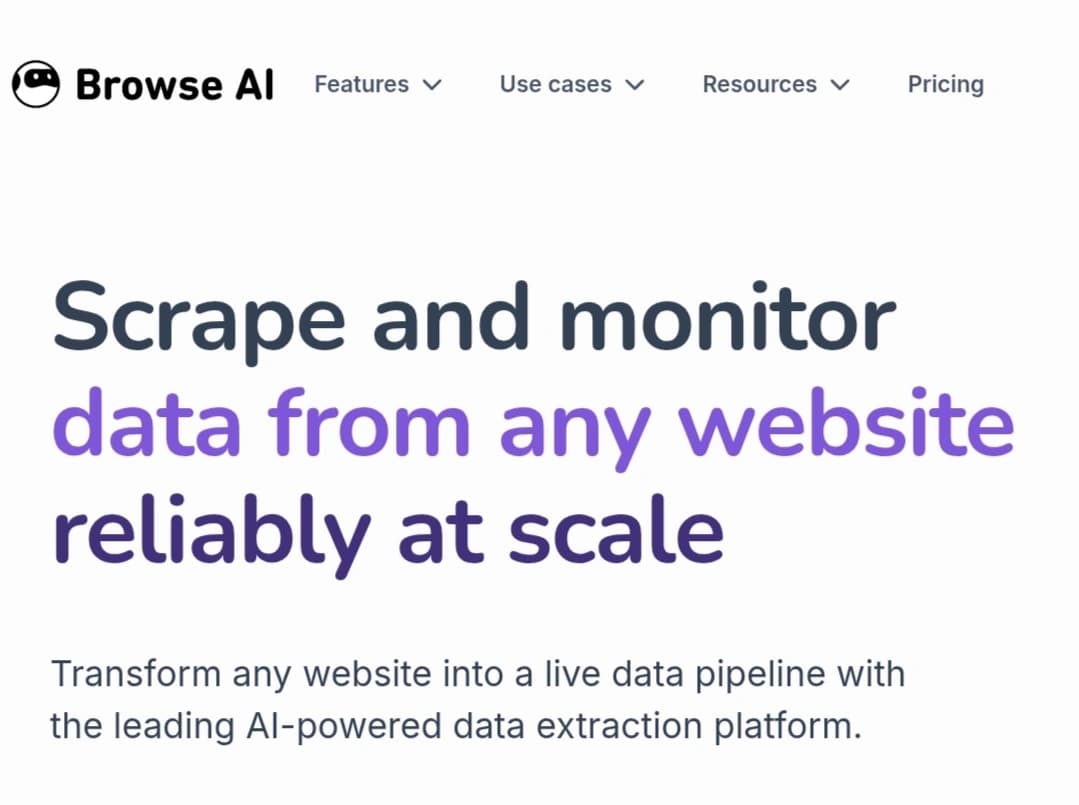
Browse AI is a no-code platform that helps users collect information from websites, organize it into structured datasets, and monitor changes across web pages. It can be used to track product prices, check availability, follow new job listings, and gather information for market research without building a custom software solution.
The platform uses configurable robots to identify specific elements on a webpage, collect the relevant information, and send the results to other tools. Instead of copying data manually or writing code to automate repetitive tasks, users can set up a robot for a particular workflow and run it when needed.
It is designed for e-commerce businesses, marketing teams, sales professionals, researchers, and anyone who needs to collect information from multiple websites or keep track of changing online content.
Key Features and Capabilities
The platform combines web data collection, website monitoring, and workflow automation. Its capabilities depend on the target website, the complexity of the task, and the features included in the selected plan.
Collect Data from Websites
Users can extract specific information from webpages, including product names, prices, ratings, and links. The system can also handle long lists and product catalogs containing many entries, eliminating the need to copy information individually.
The process starts by selecting a webpage and identifying the information that needs to be collected. Users then configure a robot to recognize the relevant elements and organize the results into structured data that can be used for analysis or transferred to spreadsheets.
This feature is particularly useful for market research, product comparisons, business directories, and gathering publicly available information from online sources.
Monitor Websites and Track Price Changes
Robots can do more than collect information once; they can be configured to revisit selected webpages and identify changes over time.
For example, an online retailer could monitor competitors’ product prices or check whether particular items are in stock. Recruitment teams could track new job listings, while businesses could monitor updates to company pages and other relevant sources.
Depending on the monitoring setup and available integrations, users can receive instant updates or send collected information directly to other applications, reducing the need to revisit websites manually.
Build No-Code Automation Robots
The software is intended for users who want to automate web-based tasks without developing custom code. Its visual interface helps users identify the information they need and configure a robot to collect it using simple point-and-click actions.
However, not every website works in the same way. Some pages may require additional setup because of login requirements, dynamically loaded content, interactive elements, or restrictions on automated access.
Testing a robot before relying on it for a large or recurring task can help identify potential problems early.
Data Export and Third-Party Integrations
Collecting information is only one part of the workflow. Users often need to organize the results, analyze them, or share them with colleagues.
The platform supports direct data export and integrations with external services. Users can transfer structured information to spreadsheets and connect their workflows with tools such as Google Sheets and Airtable when the relevant integrations are supported.
Connections to external automation services (such as Zapier and Make) help move information between applications without requiring users to perform every step manually.
Developers can also use available API and webhook capabilities to incorporate data collection into their own systems and trigger workflows when specific events occur.
Who Should Use Browse AI?
The platform supports a wide variety of business and research activities:
- E-commerce businesses: Monitor competitor prices, product availability, and newly listed items to better understand market changes.
- Marketing and market research teams: Collect information about companies, products, and industry trends for analysis.
- Sales teams: Gather publicly available business information and contact details, subject to applicable privacy rules and website policies.
- Researchers and data analysts: Build datasets from accessible online sources for research and analysis.
- Real estate and recruitment professionals: Monitor property listings, job openings, and other relevant announcements as they appear online.
This approach is particularly useful when a task needs to be repeated regularly or involves information spread across many webpages. For small, one-time tasks, manual collection may still be quicker and more practical.
How the Process Works
Getting started generally involves the following steps:
- Create an account: Set up an account on Browse AI and review the available plan and usage allowance.
- Choose a webpage: Identify the page containing the information you want to collect and confirm that you are permitted to access and use the data.
- Configure a robot: Use the visual training interface to select the relevant elements, such as product names, prices, or page links.
- Test the task: Run the robot and check that it identifies the correct fields and organizes the results properly.
- Schedule recurring runs: If you want to monitor a page, configure the available scheduling options for your plan.
- Export the results: Transfer the collected information to a file or supported connected service, then review it for accuracy and completeness.
Testing a robot on a small sample before running it at scale helps prevent errors and unnecessary usage consumption.
Pricing and Plans
Subscription costs depend on the selected plan and the amount of usage required. Plans differ in their included credits, supported websites, check frequency, integrations, and team features.
An individual collecting a small amount of information has different requirements from a company monitoring many websites or running robots frequently. For that reason, the monthly subscription price is only one factor to consider; the volume of data each plan can process and the cost of completing recurring tasks also matter.
A free plan is available for trying the platform and handling limited tasks, alongside paid tiers designed for larger workloads and business requirements. Because usage allowances and feature limits can change over time, prospective users should review the official pricing page before subscribing.
Limitations and Practical Considerations
Although the tool simplifies website data collection, it cannot guarantee that every task will run indefinitely without maintenance.
- Website design changes: Major changes to a webpage’s layout or structure can affect a robot’s ability to identify the correct information. Some tasks may need to be reviewed or reconfigured.
- Access restrictions: Websites may restrict automated activity or require authentication and additional verification. Users should not assume that every access restriction can be bypassed, and they must respect the target website’s terms and applicable rules.
- Usage consumption: Large datasets and frequent monitoring consume more credits or resources than simple tasks. Testing a workflow and estimating its requirements can help avoid unexpected plan limits.
- Data accuracy: A robot may miss information or select the wrong field, particularly when a website changes or contains interactive content. Reviewing the results remains essential for tasks that require reliable data.
- Complex workflows: Some tasks involve advanced logic, specialized processing, or unusual website behavior that may require additional tools or custom programming.
Frequently Asked Questions About Browse AI
Can I use Browse AI without coding experience?
Yes. The platform is designed to let users configure robots through a visual interface without writing code for supported tasks. More complicated websites or workflows may still require technical knowledge and additional setup.
Can the platform collect information from multiple pages?
Yes, it can handle lists and multiple webpages when the website structure and robot configuration support pagination or infinite scrolling. Results depend on navigation requirements, access restrictions, and the usage limits of the selected plan.
Can it monitor competitor prices automatically?
Yes, it can monitor product pages and track price changes through available scheduling features. Users should periodically verify that their robots still identify the correct prices after website updates.
Can I export data to Google Sheets?
Yes, data export and direct integrations are supported, including connections to spreadsheet tools and webhooks. Users should check the available integration settings and plan limits to confirm that their preferred workflow is supported.
Is there a free plan available?
Yes, a free plan is available for testing the platform and handling limited tasks. The included usage allowance and feature limits are suitable for light usage, though users should check the current plan details before relying on it for ongoing projects.
Do robots need my computer to stay on?
No. Supported tasks run through cloud infrastructure, so scheduled jobs do not require the user’s computer to remain switched on. Successful execution depends on the robot configuration, account status, and restrictions imposed by the target website.
Does the tool work with every website?
No. Websites differ in their layouts, login requirements, interactive elements, and restrictions on automated access. Testing a robot on the intended website is the best way to determine whether it can handle the required task reliably.