
PhotoRoom: AI Product Photography and Background Removal
What Is PhotoRoom?
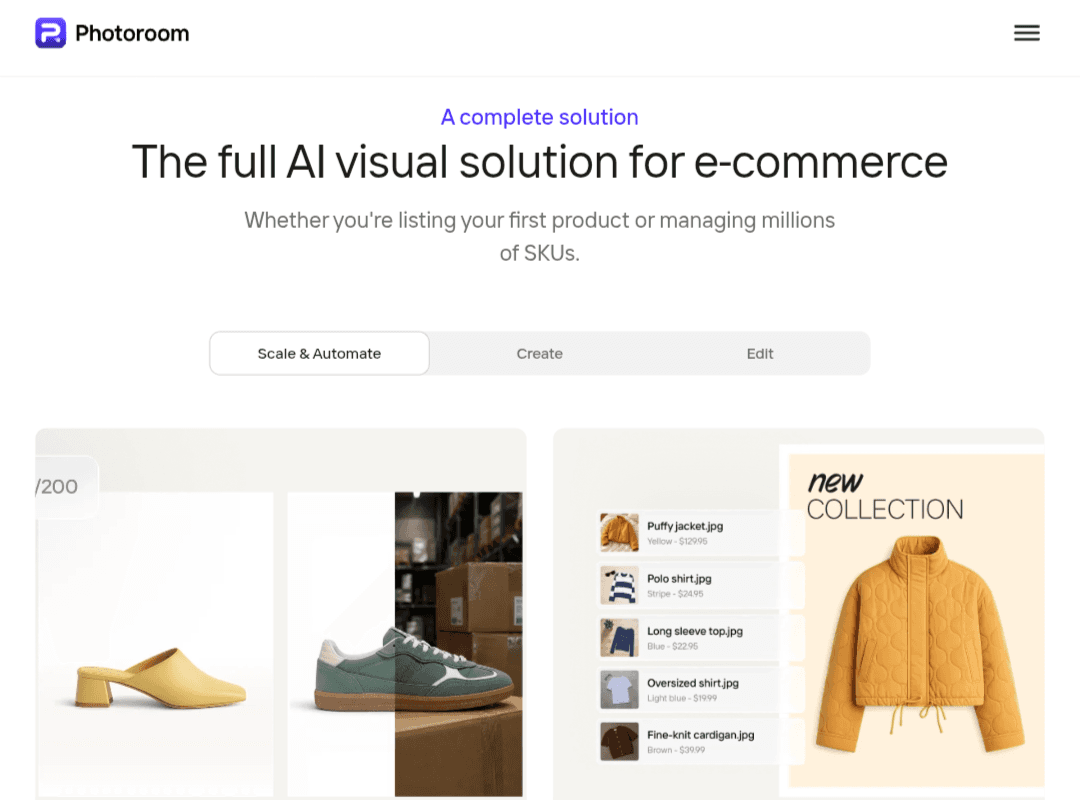
PhotoRoom is an AI-powered photo editing tool designed to help individuals and businesses create professional-looking product images. It combines automatic background removal, AI-generated scenes, image editing tools, and product photography features in a platform that does not require advanced design skills.
Available through its website and mobile apps, PhotoRoom helps online sellers, marketers, content creators, and small businesses turn ordinary photos into polished visuals for product listings, advertising campaigns, and social media.
Beyond editing individual images, the platform offers tools for processing multiple product photos and maintaining a consistent visual style across a catalog. It also provides API solutions for developers and businesses that want to integrate image editing into their own workflows.
Key PhotoRoom Features
PhotoRoom combines background removal, AI image generation, and editing tools to simplify product photography. Its capabilities are particularly useful for businesses that need professional-looking product images without organizing a traditional photo shoot for every item.
1. AI Background Removal and Replacement
One of PhotoRoom’s core features is its AI background remover, which separates the main subject from the original background.
After removing the background, users can place a product on a plain white background, choose a solid color, or create a different visual setting. This is useful for preparing product photos for online stores, advertisements, and promotional materials.
For e-commerce sellers, consistent backgrounds can help create a more organized product catalog and make listings look more professional.
2. AI-Generated Backgrounds and Product Scenes
PhotoRoom can generate backgrounds that complement a product’s appearance and intended use. Instead of relying entirely on a physical studio, users can create scenes suited to their products.
For example, a skincare bottle could be displayed against a clean, minimalist surface, while a handbag could be placed in a lifestyle-inspired setting.
These AI-generated scenes provide more flexibility when creating promotional images. However, users should review the results carefully to ensure that generated elements do not misrepresent the product or introduce distracting visual errors.
3. AI Fashion Models
PhotoRoom offers AI-powered tools for creating fashion product images featuring virtual models. These features can help clothing sellers present garments in a more engaging format without arranging a traditional model photoshoot for every item.
Depending on the available workflow, users can start with an image of a garment and generate a visual representation of how it might look when worn.
This approach can reduce some photography costs, particularly for online retailers with large clothing catalogs. However, generated images should be checked for inaccurate garment details, altered colors, or unrealistic proportions.
4. AI Image Expansion
AI image expansion can extend a photo beyond its original boundaries by generating additional background details around the existing image.
This is useful when adapting a square product image to a wider advertising layout or creating extra space for text and promotional elements.
The quality of the result depends on the original image and the complexity of the surrounding scene. Generated areas may require review before the image is used commercially.
5. AI-Powered Image Editing
PhotoRoom provides editing tools that help users refine images without relying entirely on manual adjustments.
Depending on the available features, users can modify backgrounds, adjust the composition, and make other visual changes using AI-assisted workflows.
These tools can simplify routine editing tasks, although they may not offer the same level of precise control as a professional image editor when working with complex compositions.
6. Remove Unwanted Objects and Retouch Images
PhotoRoom includes tools for removing unwanted elements and refining product photos.
These features can help clean up distracting objects, small imperfections, or other elements that draw attention away from the main subject.
AI-based retouching can save time compared with manual editing, but results are not always perfect. Images containing reflective surfaces, intricate patterns, or fine details may need additional adjustments.
7. AI Shadows and Lighting Effects
Shadows and lighting play an important role in making product images look natural.
PhotoRoom provides tools for adding shadows and improving the visual integration between a product and its background. These adjustments can help prevent an isolated object from appearing disconnected from the scene.
For the best results, review the direction, intensity, and placement of the shadows. Inconsistent lighting can make an otherwise polished image look artificial.
8. Batch Editing for Product Catalogs
PhotoRoom offers batch-processing capabilities for users who need to work with multiple images.
Instead of editing each product photo individually, users can apply supported changes across a group of images. This can help streamline repetitive tasks such as preparing consistent product visuals.
Batch editing is particularly useful for online stores with large inventories, retailers that regularly add new products, and teams managing visual assets at scale.
Availability and processing limits depend on the current subscription plan.
9. Image Resizing and Brand Consistency
Product images often need different dimensions depending on where they will appear. PhotoRoom provides tools for adapting images to different formats and marketing layouts.
These capabilities can help prepare visuals for e-commerce listings, advertisements, and social media content.
Branding features can also help teams maintain a consistent visual identity by reusing elements such as logos, colors, and design templates where supported.
Before publishing, users should verify the image dimensions and content requirements of the intended platform. Using an image editor does not automatically guarantee compliance with every marketplace’s listing policies.
10. Shopify Integration and PhotoRoom API
PhotoRoom also offers solutions for businesses that want to incorporate image editing into broader e-commerce or software workflows.
- Shopify integration: Supported integrations can help connect product-image workflows with Shopify stores, depending on the integration and its current capabilities.
- PhotoRoom API: Developers can integrate supported image-processing functions into applications, websites, and automated workflows.
- Business and team solutions: Additional options are available for organizations that need collaboration features or large-scale image processing.
These capabilities are particularly relevant to businesses managing extensive product catalogs or automating repetitive image-editing tasks.
Who Should Use PhotoRoom?
PhotoRoom is designed for users who need to create, edit, or standardize product images without spending excessive time on manual editing.
- E-commerce sellers: Prepare product photos with consistent backgrounds for online listings and advertising.
- Small businesses and entrepreneurs: Create promotional visuals without investing in a full photography setup for every product.
- Fashion and resale sellers: Improve clothing and accessory photos for online marketplaces.
- Digital marketers: Produce product-focused advertising creatives and campaign visuals.
- Content creators: Create images for social media posts and other promotional materials.
- Restaurants and food businesses: Prepare appealing food images, provided that edits accurately represent the actual dishes.
- Developers and larger businesses: Integrate image processing into applications or automate repetitive product-photography workflows.
PhotoRoom Pricing and Plans
PhotoRoom offers different options for individual users, professionals, teams, and businesses. Pricing, export limits, and feature availability may change over time and can vary by region or subscription platform.
The main types of offerings include:
- Free plan: Provides access to selected editing features, with restrictions that may apply to exports, usage limits, or advanced tools.
- PhotoRoom Pro: Designed for users who need additional editing capabilities and a more extensive workflow, with supported features depending on the current plan.
- Team and business solutions: Intended for organizations that need collaboration features and more scalable image-processing workflows.
- API access: Designed for developers and businesses that want to integrate PhotoRoom’s image-processing capabilities into their own systems.
Before subscribing, check the official pricing page for current prices, export limits, supported features, and commercial-use terms.
PhotoRoom Pros and Cons
Pros
- Removes image backgrounds with minimal manual effort.
- Creates AI-generated backgrounds for product photography.
- Helps prepare consistent visuals for e-commerce listings.
- Offers editing tools for retouching and refining product images.
- Supports batch-processing workflows for larger catalogs.
- Provides solutions for individuals, teams, and developers.
- Can reduce the time and resources required for routine product photography.
Cons
- Some advanced features require a paid subscription.
- AI-generated backgrounds and edits can introduce visual inconsistencies.
- Fine details, logos, labels, and product colors may need manual verification.
- Export quality and usage limits depend on the current plan.
- Professional image editors may offer more precise control for complex projects.
- Commercial use depends on the applicable licensing terms and the content being processed.
Frequently Asked Questions About PhotoRoom
Is PhotoRoom free to use?
PhotoRoom offers a free plan with access to selected editing features. However, some advanced tools and higher usage limits may require a paid subscription. Check the current plan details to understand which features and export options are included.
Can I use PhotoRoom images for commercial purposes?
Commercial use depends on PhotoRoom’s current terms, the subscription plan, and the content used to create or edit the image. Before using images in advertisements, product listings, or other commercial materials, review the applicable licensing terms rather than assuming that every plan grants identical rights.
How do I remove a background with PhotoRoom?
Upload an image to PhotoRoom and use its background-removal tool to isolate the main subject. You can then choose a replacement background or create a new scene using supported AI features. Review the result and export the image using the available settings.
Can PhotoRoom create product photos from smartphone pictures?
Yes. You can start with a photo taken on a smartphone, remove its background, and use available editing tools to create a more polished product image. The final quality depends on factors such as lighting, image resolution, and the clarity of the original subject.
Does PhotoRoom preserve the original product’s appearance?
PhotoRoom is designed to help users edit product images while retaining the main subject, but AI-generated changes may affect fine details, labels, textures, or colors. Always compare the edited image with the original, especially when accuracy is important for customer-facing product listings.
Can I edit multiple product photos at once?
Yes. PhotoRoom offers batch-processing capabilities for supported workflows, helping users apply changes to multiple images more efficiently. Access, feature availability, and processing limits depend on the current subscription plan.
Is PhotoRoom better than Photoshop for background removal?
It depends on your needs. PhotoRoom is convenient for quickly removing backgrounds and preparing product images with minimal manual work. Adobe Photoshop offers more detailed control over layers, selections, retouching, and complex compositions. PhotoRoom may be the more practical option for routine product photography, while Photoshop can be better suited to intricate editing tasks.
Can I use PhotoRoom for Amazon and Shopify product images?
Yes. PhotoRoom can help prepare product images for e-commerce platforms, including Amazon and Shopify. However, you should check each platform’s current image requirements and listing policies before publishing. PhotoRoom’s editing tools do not automatically guarantee compliance.
Can PhotoRoom export high-resolution images?
Export resolution and available download options depend on the current plan and product version. If you need images for large displays, print materials, or high-resolution advertising, check the available export settings before subscribing.