Synthesia AI: Create Videos with AI Avatars
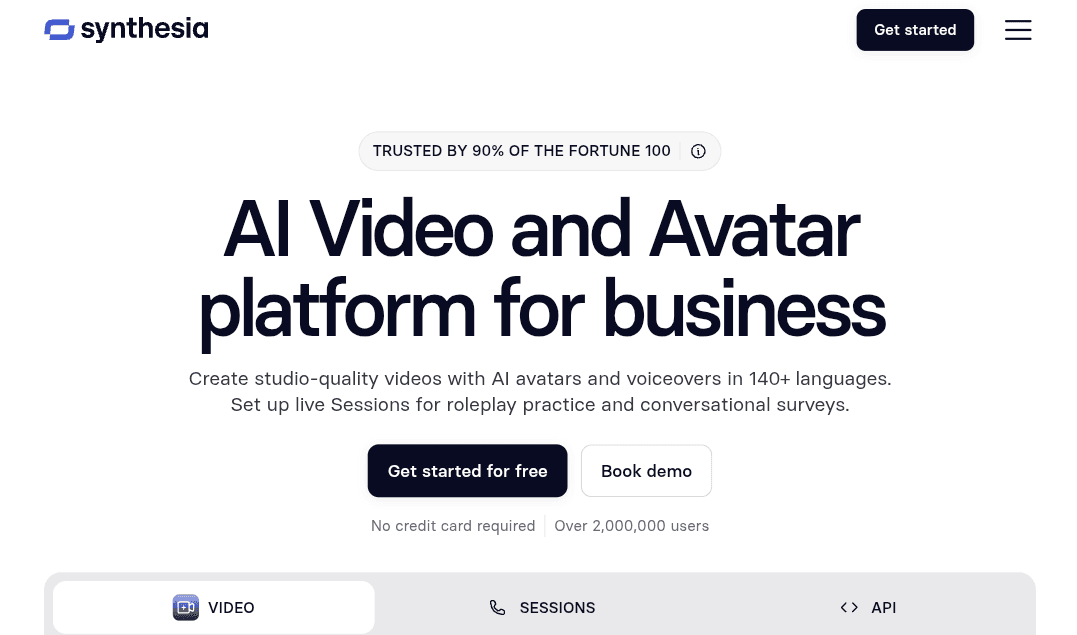
Synthesia is an AI video creation platform that turns written scripts, documents, and presentations into videos featuring virtual presenters. Instead of recording yourself, hiring actors, or setting up a filming studio, you can choose an AI avatar, add your script, select a voice, and build a video directly in your browser.
The platform is designed for businesses, educators, content creators, and teams that need to produce training materials, product explainers, internal communications, and marketing videos. It also includes tools for video translation, AI dubbing, interactive content, and team collaboration.
What Is Synthesia AI?
Synthesia is an AI-powered video generator focused on presenter-led content. It combines digital avatars, AI-generated speech, and a video editor to help users create professional-looking videos without traditional filming equipment.
You can start with a written script or use existing materials, such as documents and presentation slides, as the basis for a video. After selecting a presenter and voice, you can organize the content into scenes, add visual elements, and adjust the final result before publishing.
Unlike general-purpose AI video generators that focus primarily on creating cinematic clips or animated scenes, Synthesia is particularly suited to videos where a presenter explains information directly to the audience.
Key Features of Synthesia
1. AI Avatars and Virtual Presenters
Synthesia offers a library of ready-made AI avatars that can deliver a script with synchronized speech and facial expressions. Users can select a presenter that fits their content and customize aspects of the video, including the scene and visual presentation.
The platform also supports personal avatars, allowing users to create a digital version of themselves for use in videos. This can be useful for professionals who want to maintain a consistent on-screen presence without recording a new video every time they update their content.
Avatar-based videos are particularly suitable for training sessions, product demonstrations, onboarding materials, and corporate announcements.
2. Text-to-Video Creation
One of Synthesia’s main features is the ability to turn a written script into a presenter-led video. After entering the text, you can select an avatar, choose a voice, and arrange the script across different scenes.
This approach can simplify the production of explainer videos, educational content, and presentations. It also makes updating existing material easier because you can revise the script and regenerate the relevant scenes instead of organizing another recording session.
The final quality still depends on the script, scene design, and voice selection. Reviewing the generated video before publishing is important, particularly when it contains technical information or detailed instructions.
3. AI Voices and Video Translation
Synthesia includes AI-generated voices and tools for adapting video content for different audiences. Users can select voices and accents, generate narration, and use translation or dubbing features to create versions of existing content for other markets.
Its video localization tools can help organizations reuse training materials, product explanations, and internal communications across regions without recording every version from scratch.
However, automated translation and dubbing may not always handle specialized terminology, brand names, or context perfectly. Important content should be reviewed before distribution.
4. Convert Presentations and Documents into Videos
Synthesia can help transform existing materials into video content. Depending on the workflow and available features, users can work with presentation files, documents, and other source materials to develop a video around their original information.
This can be useful for turning a presentation into a narrated lesson, converting company documentation into training content, or giving a product presentation a more engaging format.
Rather than treating the source material as a finished video, users should review the generated structure and adjust the script, scenes, and visuals to ensure the result communicates the information clearly.
5. Interactive Videos
For content that requires audience participation, Synthesia offers interactive video capabilities. These can be used to create experiences in which viewers respond to questions or move through content based on their choices.
Interactive formats can support employee training, educational activities, onboarding, and product guidance. They are most useful when the viewer needs to make decisions or engage with the material rather than simply watch a presentation.
The exact interaction options available depend on the platform’s current features and plan.
6. Brand Customization and Team Collaboration
Synthesia includes tools designed to help teams produce videos with a consistent visual identity. Depending on the plan, users can work with brand assets, templates, shared workspaces, and collaboration features.
These capabilities can make it easier for marketing, training, and communications teams to maintain consistent fonts, colors, logos, and presentation styles across multiple videos.
Team collaboration is especially useful when scripts and videos require review or approval from different departments before publication.
Who Should Use Synthesia?
Synthesia is most useful for people and organizations that regularly create videos to explain information, deliver instructions, or communicate with an audience.
- Businesses and HR teams: Create employee onboarding videos, workplace training, internal announcements, and policy explanations.
- Educators and course creators: Turn lessons, presentations, and written materials into video-based learning content.
- Marketing teams: Produce product explainers, promotional videos, and customer education materials.
- Sales teams: Create product demonstrations, sales enablement materials, and personalized presentations.
- Customer support teams: Develop tutorials, troubleshooting videos, and step-by-step explanations.
- Large organizations: Adapt video content for different markets and maintain consistent messaging across teams.
Synthesia is less suitable for projects that depend on spontaneous human performances, documentary-style filming, or highly cinematic storytelling. In those cases, traditional production or a more specialized AI video generator may offer greater creative flexibility.
How to Create a Video with Synthesia
Creating a video with Synthesia generally involves the following steps.
Step 1: Start a New Video
Create an account and open the Synthesia editor. Choose a new video project and select a suitable starting point, such as a template or a blank project, depending on the options available.
Step 2: Add Your Script or Source Material
Write the script you want the presenter to deliver, or start with supported source material such as a presentation or document. Organize the content into short sections so each scene communicates one main idea.
A clear script usually produces a better result than a long block of text. Use concise sentences and remove information that does not contribute to the video’s purpose.
Step 3: Choose an AI Avatar and Voice
Select a virtual presenter that fits your intended audience and content style. Then choose a voice and speaking style that suit the message.
For training and instructional videos, a clear and measured delivery may work better than an overly energetic presentation. Preview the voice before generating the full video.
Step 4: Customize the Scenes
Arrange the script across scenes and add relevant visual elements, such as text, images, backgrounds, or other supported media. Keep the layout readable and avoid filling every scene with too much information.
If the video represents a business or brand, use consistent colors and visual elements throughout the project.
Step 5: Generate and Review the Video
Generate the video and watch the complete result before publishing it. Check pronunciation, pacing, avatar movements, scene transitions, and the accuracy of the information.
Make any necessary edits to the script or visuals, then regenerate the relevant sections.
Step 6: Export or Share
When the video is ready, use the available publishing, sharing, or download options. The options and export capabilities may vary by subscription plan.
For business or educational use, make sure you have the necessary rights to any images, video clips, logos, or other assets included in the project.
Synthesia Pricing: Is There a Free Plan?
Synthesia offers a free Basic plan alongside paid subscriptions for users who need more video production capacity and advanced features.
The Basic plan provides a way to explore the editor, test avatars and voices, and create a limited amount of content. Its current allowance includes 10 minutes of video creation or dubbing and 500 credits, although the availability of particular features and how credits are used can vary.
Paid plans are designed for people who create videos more regularly, while higher-tier business options offer capabilities suited to larger teams and organizations. Depending on the plan, these may include additional credits, more collaboration features, brand management, and expanded administrative controls.
The best plan depends on how many videos you produce, which features you need, and whether you work alone or with a team. Check the current plan options before subscribing, as pricing, usage allowances, and included features can change.
Advantages and Limitations of Synthesia
Synthesia can reduce the effort involved in producing presenter-led videos, but it is not a complete replacement for every type of video production.
Advantages
- Creates presenter-led videos without cameras, microphones, or a filming studio.
- Converts scripts and supported source materials into video content.
- Offers a range of virtual presenters and AI-generated voices.
- Helps adapt videos for different audiences through translation and dubbing tools.
- Makes it easier to update training and instructional content.
- Provides collaboration and brand-management features for teams.
Limitations
- AI presenters may not feel as natural or expressive as real people in every situation.
- Voice pronunciation, delivery, and lip synchronization can vary depending on the content.
- Generated scenes and scripts may require manual editing to achieve the desired result.
- Some features and higher usage limits require a paid plan.
- Automated translation and dubbing should be reviewed for accuracy.
- The platform is primarily designed for structured, presenter-led content rather than unrestricted cinematic production.
Synthesia is most effective when the goal is to communicate information clearly and consistently. The need for manual review and the available production controls should be considered when choosing it for a specific project.
Frequently Asked Questions
Is Synthesia free to use?
Yes. Synthesia offers a free Basic plan with limited usage. Paid subscriptions provide additional capacity and features for users with more demanding video production needs.
Do I need video editing experience to use Synthesia?
No advanced editing experience is required for basic projects. The platform provides a browser-based editor, templates, avatars, and script-based video creation tools. More complex projects may still require time to refine scenes, pacing, and visual design.
Can Synthesia create videos from text?
Yes. You can enter a written script, select an AI avatar and voice, and organize the content into scenes to create a presenter-led video.
Can I create a digital version of myself?
Synthesia supports personal avatars that can represent you in generated videos. Availability and the process for creating or using a personal avatar may depend on the platform’s current requirements and plan.
Can Synthesia translate existing videos?
Synthesia provides video translation and AI dubbing tools for adapting content to different audiences. Results should be checked for accurate wording, pronunciation, and synchronization before publication.
Can I use Synthesia videos for commercial purposes?
Commercial use depends on the applicable subscription terms, content policies, and rights to the assets used in a project. Review the current terms and make sure you have permission to use any third-party material, likenesses, or other protected content.
Is Synthesia suitable for marketing videos?
Yes. It can be used for product explainers, promotional content, sales presentations, and customer education. It is particularly useful when a consistent presenter and a clear script matter more than live-action filming or complex cinematic effects.
Can Synthesia replace a traditional video production team?
Not in every situation. Synthesia can simplify recurring video tasks and reduce the need for filming, but projects that depend on real-world footage, complex storytelling, or highly specific creative direction may still benefit from traditional production.
Final Verdict
Synthesia is an AI video creation platform for producing presenter-led videos from scripts and supported source materials. Its combination of virtual avatars, AI voices, video translation, and collaboration tools makes it particularly useful for training, education, marketing, and business communication.
The main advantage is the ability to create and update videos without arranging a new filming session for every change. However, users should still review generated content for accuracy, natural delivery, and visual quality.
For individuals and organizations that regularly produce instructional or presentation-style videos, Synthesia is worth considering. Its free plan provides a starting point, while paid options are better suited to ongoing production and more advanced team requirements.