80s AI Photo Trend: How to Create a 1980s Photo with AI
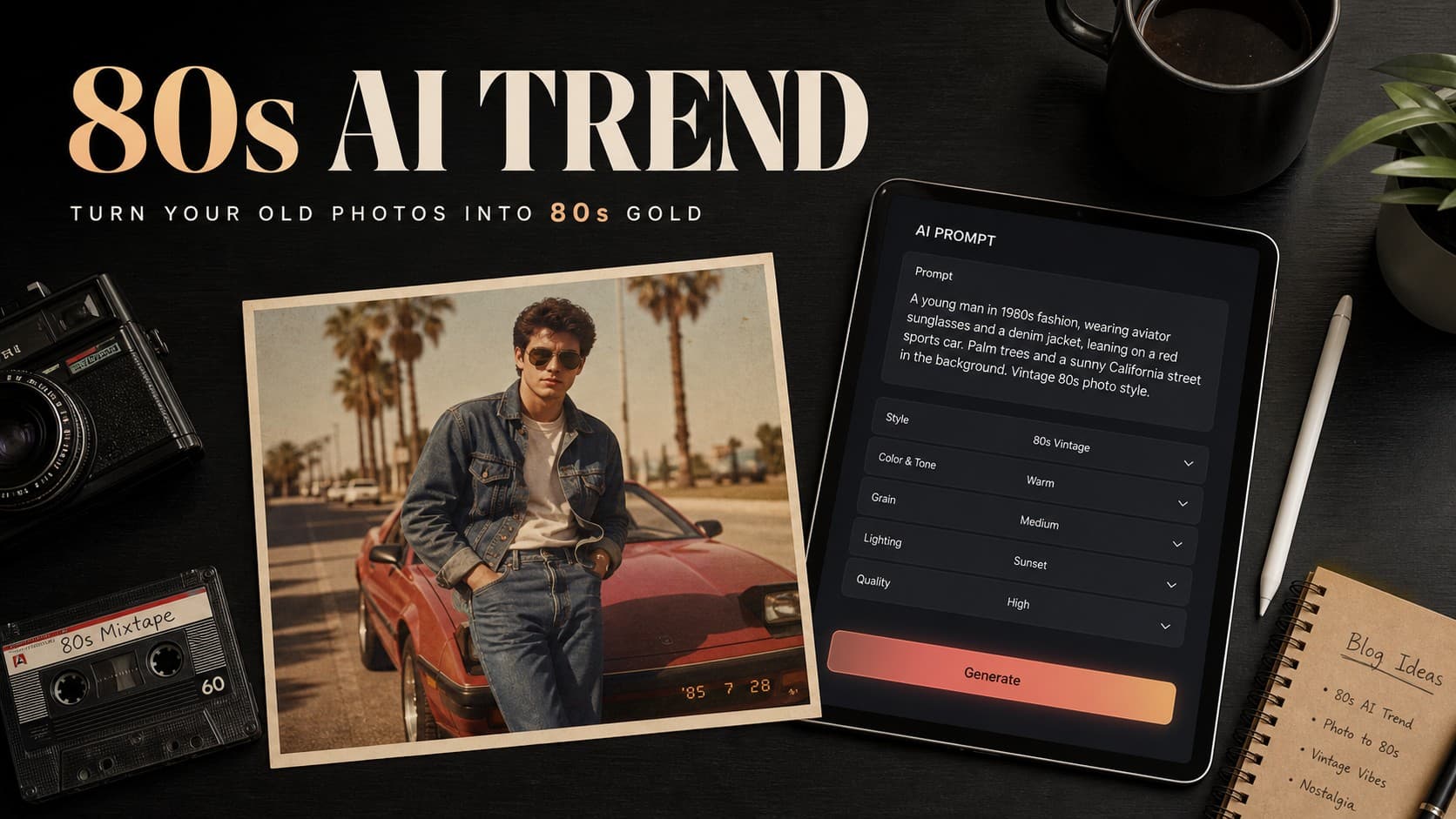
If you have been scrolling through Instagram, TikTok, or X lately, you may have seen people transformed into stylized 1980s versions of themselves. Voluminous feathered hair, acid-wash denim jackets, warm analog color palettes, direct on-camera flash, and authentic film grain can make these portraits look like they were pulled straight from a dusty family album.
This is the viral 80s AI photo trend. Across social media platforms, users are leveraging generative AI tools to reimagine modern selfies as realistic, nostalgic photographs inspired by the 1980s.
What makes this trend stand out is that it goes far beyond applying a simple sepia or vintage filter. Modern AI image tools can transform the wardrobe, hairstyle, background, lighting, and photographic style while attempting to preserve the person’s recognizable facial features and identity.
What Is the 80s AI Photo Trend?
The 80s AI trend is a generative AI photo trend that transforms modern portraits using visual styles and photographic characteristics inspired by the 1980s.
The process starts with a clear personal portrait. The user uploads it to an AI image generator or editor and provides a descriptive prompt specifying period-appropriate clothing, hairstyles, nostalgic backgrounds, vintage lighting, and analog photography characteristics.
Unlike traditional photo filters that mainly adjust colors and contrast, generative AI can rebuild parts of the scene, including clothing, backgrounds, lighting, and other visual details, while attempting to keep the person recognizable.
How to Do the 80s AI Photo Trend Step-by-Step
You can create your 1980s vintage photo using modern AI tools with image-input capabilities, such as ChatGPT or Google Gemini, by following these steps:
- Choose a clear source photo where your face is visible and the lighting is reasonably good.
- Choose an AI image generator or editor that supports image uploads, such as ChatGPT or Google Gemini, and upload your photo.
- Write a detailed descriptive prompt instead of relying on a generic phrase like “make me 80s.”
- Tell the model to preserve your facial features and identity as closely as possible, including your eye shape, facial structure, skin tone, and natural expression.
- Describe the specific 1980s aesthetic you want, including the clothing, hairstyle, background, lighting, and photographic style.
- Keep the instructions clear and specific so the tool can focus on the changes you actually want without introducing unnecessary alterations.
Top 8 Ready-to-Copy Prompts for the 80s AI Trend
You can copy and paste any of the following prompts into your AI image generator after uploading your source image.
1. The Classic 1985 Studio Portrait
Ideal for creating a formal portrait that looks like it was captured in a professional photo studio in the mid-1980s.
Prompt:
Transform the uploaded image into an authentic, photorealistic studio portrait inspired by 1985. Preserve my facial features, facial structure, skin tone, eye shape, and natural expression as closely as possible without excessive beautification. Change the hairstyle and clothing to authentic mid-1980s fashion. Place the subject against a classic mottled studio backdrop with direct on-camera flash lighting typical of 1980s studio photography. Use warm, slightly muted colors, subtle film grain, and natural soft-focus characteristics associated with vintage lenses. The final image should look like a genuine 35mm film photograph taken in 1985, not a modern digital photo with a vintage filter.
2. The Nostalgic Family Album Snapshot
Perfect for a cozy, authentic snapshot that feels like a treasured print preserved in an old family album.
Prompt:
Recreate the uploaded photo as a warm, candid family snapshot inspired by the 1980s. Preserve the person’s facial features, identity, and natural expression as closely as possible. Update the clothing and hairstyle to authentic 1980s casual everyday wear. Place the person inside a cozy 1980s living room with period-appropriate wooden furniture, retro wallpaper, and vintage home decor. Use warm natural indoor lighting, an analog film color palette with slightly faded saturation, and subtle film grain. The image should look like an authentic printed photograph discovered inside an old family photo album.
3. The 1980s Vintage Wedding Photo
Designed for couples or solo portraits styled with classic 1980s wedding fashion.
Prompt:
Transform the uploaded image into a realistic 1980s vintage wedding photograph. Preserve the facial identity, proportions, and natural expressions of the subjects as closely as possible. Change the outfits to authentic 1980s wedding attire with vintage lace, classic tailoring, and period-appropriate styling. Set the scene in a decorated 1980s banquet hall with warm ambient lighting, floral arrangements, and classic flash photography. Apply natural analog film grain, warm nostalgic tones, and subtle flash characteristics to make it look like a physical wedding print from the mid-1980s.
4. The 1980s Cinematic Movie Still
Best for those who want their portrait to look like a frame from an iconic 1980s film.
Prompt:
Reimagine the uploaded photo as an authentic cinematic movie still inspired by a 1980s feature film. Preserve the subject’s facial structure, body proportions, and identity as closely as possible. Style the hair, wardrobe, and environment to match a period-appropriate 1980s movie scene. Use dramatic warm cinematic lighting, analog 35mm motion-picture film characteristics, subtle film grain, and realistic retro contrast. The image should look like an authentic frame shot on 35mm movie film in the 1980s rather than a modern digital composite.
5. The Retro VHS Camcorder Capture
Provides a nostalgic aesthetic reminiscent of 1980s home video recordings.
Prompt:
Convert the uploaded photo into a freeze-frame still from an authentic 1986 home video recording on VHS tape. Preserve the person’s facial features and natural expression as closely as possible. Style the clothing and hair in classic 1980s casual fashion. Apply characteristic vintage videotape textures, including subtle scan lines, mild chromatic aberration, warm muted colors, soft tape noise, and natural low-contrast indoor lighting. The result should look like a genuine frame captured from a family VHS recording made in 1986.
6. The 1987 Neon Arcade Scene
Immerses your portrait in the glowing neon atmosphere of a late-1980s video arcade.
Prompt:
Place the person in the uploaded photo inside a bustling 1987 retro video arcade. Preserve their facial features, identity, and natural expression as closely as possible. Update their outfit and hairstyle to late-1980s youth streetwear, such as an oversized denim jacket and retro layers. Surround them with vintage arcade cabinets, glowing CRT screens, and moody neon lighting reflecting naturally on the subject. Apply 35mm analog film characteristics with subtle grain and rich but realistic color saturation. Make it look like an authentic candid film photograph taken at an arcade in 1987.
7. The 1980s College Yearbook Portrait
Recreates the classic college yearbook photo style of the 1980s.
Prompt:
Transform the uploaded image into an authentic 1980s college student portrait. Preserve the facial identity and natural features as closely as possible. Change the clothing, hairstyle, and accessories to classic 1980s collegiate fashion. Set the background on a retro university campus with period-appropriate architecture and no modern technology or objects. Use soft natural daylight, warm vintage color tones, and fine film grain, making it look like a genuine photograph from a 1980s university yearbook.
8. The Preserved 1985 Photo Print
A versatile prompt for creating an authentic-looking physical photograph from the 1980s.
Prompt:
Convert the uploaded image into a candid analog photograph inspired by a photo taken in 1985 and preserved in a family album for decades. Maintain the subject’s facial structure, identity, and natural expression as closely as possible. Style the wardrobe, hair, and background with genuine mid-1980s aesthetics. Use direct flash lighting, warm earthy tones, slight edge softness, and natural film grain. Include subtle vintage print imperfections and soft tonal transitions characteristic of physical photo paper, without adding excessive scratches or artificial damage.
How to Get the Best Results from 80s AI Prompts
There is a substantial difference between typing a generic prompt like “make me 80s” and providing well-structured instructions.
The single most important factor is preserving your facial identity. Tell the model to maintain your eye shape, nose structure, jawline, natural skin tone, and other recognizable facial characteristics before describing the clothing or background. This can reduce the chance of the AI generating a noticeably different person.
Always specify that you want to modify the hair, clothing, background, lighting, and photographic characteristics while keeping your facial identity as consistent as possible. If the initial result changes your face too much, do not necessarily restart immediately. Instead, submit a follow-up instruction asking the AI to restore the original facial proportions and make fewer changes to the face.
Avoid relying only on words such as “vintage” or “retro.” Instead, describe concrete photographic elements such as 35mm film characteristics, direct on-camera flash, warm analog colors, soft lens characteristics, and natural film grain. These details can help AI image tools produce a more convincing period-inspired photograph.
Finally, use a high-quality, evenly lit source photo where you are facing the camera directly or at a slight three-quarter angle. Clear reference images generally give image models better visual information for maintaining facial consistency.
What to Do If the AI Changes Your Face
Facial changes are one of the most common challenges when transforming images with generative AI, especially when many elements are modified at once. To address the problem, follow these steps:
- Use targeted follow-up prompts to refine the generated image instead of immediately rewriting everything.
- Send clear face-preservation instructions, such as: “Preserve my facial structure from the original image as closely as possible. Do not intentionally redesign my eye shape, nose, lips, jawline, or skin tone. Only modify the hair, clothing, lighting, and background.”
- Reduce the number of changes requested at once if the face continues to change. Start by modifying the clothing while keeping the face unchanged.
- Adjust the hairstyle, background, and lighting progressively in separate iterations.
- Use a phased editing workflow so the model has fewer visual elements to reconstruct during each edit.
How to Choose the Right Source Photo
Your source image has a major influence on the quality of the final result.
Choose a clear, high-resolution portrait with balanced lighting and minimal harsh shadows. Front-facing photos or mild three-quarter angles are generally easier for image models to work with than extreme profile angles or heavily blurred images.
Avoid group photos when possible if your goal is to create a personal portrait. A single-subject image gives the AI a clearer reference for the person whose appearance you want to preserve.
Should You Change Everything in a Single Prompt?
Not necessarily.
While a single detailed prompt can produce impressive results, complex instructions can sometimes lead to facial changes or inaccurate clothing. Breaking the process into stages can give you more control.
Start by changing the clothing and hairstyle while asking the model to preserve the face. Once the result looks right, you can refine the background, lighting, and film characteristics in later edits.
This sequential approach makes it easier to identify and correct individual problems without changing the rest of the composition.
How to Make the Photo Look Authentically Retro Without Overdoing It
It is easy for an AI-generated image to become an exaggerated digital caricature filled with fake scratches and excessive noise.
Real 1980s photographs could be relatively clear. Their distinctive appearance often came from the film, camera, lighting, color characteristics, and photographic conditions rather than extreme damage.
Keep imperfections subtle and prioritize authentic lighting, period-appropriate clothing, natural film grain, and realistic color characteristics over heavy digital artifacts.
Can You Use the Same Prompts in ChatGPT, Gemini, and Other AI Tools?
Yes. The basic prompt structure can be adapted to different generative AI platforms, although the results and available editing features vary between tools.
With ChatGPT, you can upload an existing photo and describe the changes you want, then use follow-up instructions to refine the result if the facial likeness needs adjustment.
With Google Gemini, you can upload a portrait and request contextual edits that transform its appearance while preserving important elements from the original image.
Other AI image-generation and editing platforms can also be used for this trend. Their reference-image, character-consistency, and editing workflows vary depending on the model and version, so the exact process may differ from one tool to another.
Why Did the 80s AI Trend Go Viral Globally?
The trend combines cultural nostalgia with the growing accessibility of generative AI.
In the past, creating a convincing 1980s portrait could require vintage clothing, professional photography equipment, or advanced photo-editing skills. Today, users can generate a retro-inspired transformation from an existing photo with a detailed text prompt.
The format is also naturally shareable. Showing a modern portrait alongside an imagined 1980s version creates an immediate visual contrast that works particularly well on social media platforms.
Are 80s AI Photos Real Archival Images?
No. These images are AI-generated creations based on reference photos and text instructions.
Even when an image convincingly reproduces the grain, paper texture, colors, and flash characteristics of an old photograph, it remains a newly generated image rather than a historical photograph.
If an image looks like it was taken in 1985, that does not mean it was actually captured in 1985.
Privacy and Security: What You Should Know Before Uploading
Because this trend involves uploading personal photos to cloud-based AI services, it is worth considering privacy before using these tools.
Before uploading a photo, review the privacy settings and data-handling policies of the service you are using. Avoid uploading sensitive documents or images containing private information, and do not upload photos of other people without their permission.
Frequently Asked Questions (FAQ)
What is the 80s AI photo trend?
It is a viral social media trend in which users use generative AI tools to transform modern portraits into images inspired by the 1980s, including vintage hairstyles, period clothing, direct flash lighting, and analog film characteristics.
How do I turn my photo into an 80s picture with AI?
Upload a clear portrait to an AI image tool such as ChatGPT or Google Gemini, then use a detailed prompt asking the tool to preserve your facial features while changing your hair, clothing, background, and photographic style to match the 1980s.
How do I keep my face from changing in AI photo prompts?
Use a clear source photo and explicitly instruct the AI to preserve your facial structure, eye shape, nose, lips, skin tone, and overall identity as closely as possible. If the face changes, use follow-up instructions to correct the result rather than changing everything at once.
What is the best prompt for the 80s AI trend?
A strong prompt clearly describes the person’s identity, clothing, hairstyle, environment, lighting, and photographic characteristics. Details such as 35mm film characteristics, direct flash, period-appropriate fashion, and warm analog colors can help create a more convincing 1980s look.
Can I do the 80s AI trend using ChatGPT?
Yes. You can upload an existing photo to ChatGPT and provide detailed instructions to transform it into a 1980s-inspired portrait.
Can I do the 80s AI trend using Google Gemini?
Yes. Google Gemini can be used with uploaded images and text instructions to create or edit images with a 1980s-inspired style.
Why do some 80s AI photos not look like the real person?
This can happen when the source image is unclear or when the prompt asks for too many changes at the same time. Asking the AI to preserve the person’s facial identity and making edits progressively can help maintain a closer likeness.
Conclusion
The 80s AI trend shows how accessible creative image transformation has become. With a clear reference photo and a well-structured prompt, you can turn a modern selfie into a vintage studio portrait, a warm family snapshot, a nostalgic wedding photograph, or an authentic-looking 1980s movie still.
For the most convincing results, prioritize facial preservation while describing the photographic characteristics that define the era. Use a clear source image, explain the changes you want, and refine the result step by step when necessary.
Start with one of the prompts above and adapt it to the specific 1980s scene you want to create rather than relying on a short, generic instruction.