Gemini Notebook Website Builder: How to Turn PDFs and Spreadsheets Into Interactive Web Apps
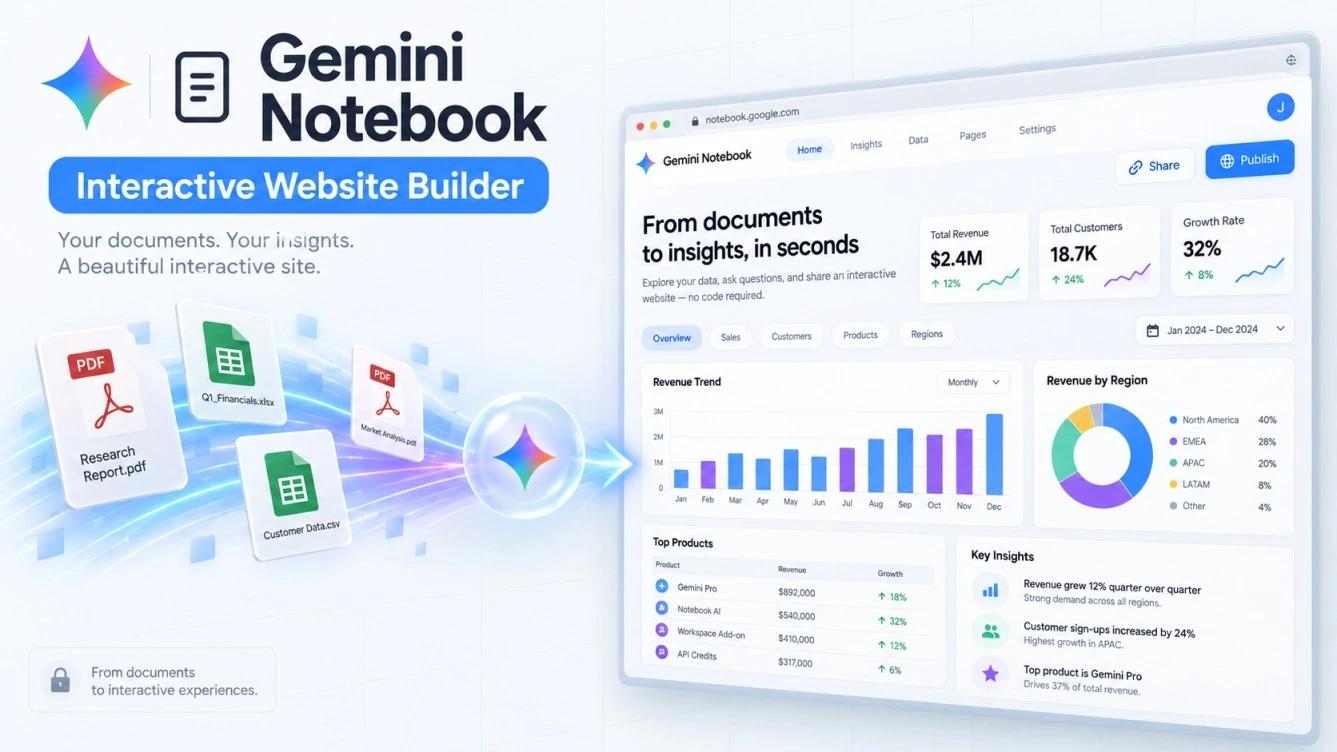
Google officially launched interactive website creation inside Gemini Notebook-formerly known as NotebookLM before its July rebrand-on November 16, 2026. Users can now transform research documents and spreadsheets into functional webpages and interactive dashboards by typing a simple text prompt in the chat box, with no coding skills or external web hosting required.
The update expands the tool from a personal text summarizer and audio generator into a productivity environment that builds shareable micro-apps. Still, Google enforces strict technical rules on how these pages operate and share data, setting them apart from traditional commercial website builders.
How Interactive Websites Work in Gemini Notebook
The builder operates on a strict source-grounded architecture. When you request a webpage, the system reads only the checked files inside your notebook-whether PDFs, Google Sheets, videos, or web articles-and writes the code to build a visual interface around that exact data.
Unlike general-purpose AI tools that pull information from the open web and blend it into your output, Gemini Notebook relies exclusively on the text and figures inside your uploaded sources. This isolation prevents the model from fabricating external data.
Google also designed these generated sites with per-visitor state isolation. When you share a site link with colleagues or students, each visitor can click filters, complete interactive quizzes, and add personal notes inside the page without affecting another user’s screen or altering the original files stored in your notebook.
How to Create a Website from Your Files
Google does not display a dedicated button in the main interface to launch the website builder; instead, you trigger the feature through text prompts in the chat panel:
- Select Active Sources: Open your notebook in a desktop web browser and check the boxes next to the files you want to convert into a site. The system ignores any unchecked documents in the left sidebar during generation.
- Enter Your Prompt in Chat: Go to the chat box and type a direct instruction-starting with “make me a site” to ensure the model triggers the website builder rather than returning a standard text response-followed by a specific description of the layout you want, such as turning a financial sheet into a revenue tracker or a textbook into an interactive study guide. The generated interface automatically matches the language of your prompt.
- Preview via the Studio Panel: The model writes the code and constructs the interface in the background, then displays your new website as a standalone card inside the Studio panel on the right side of the screen.
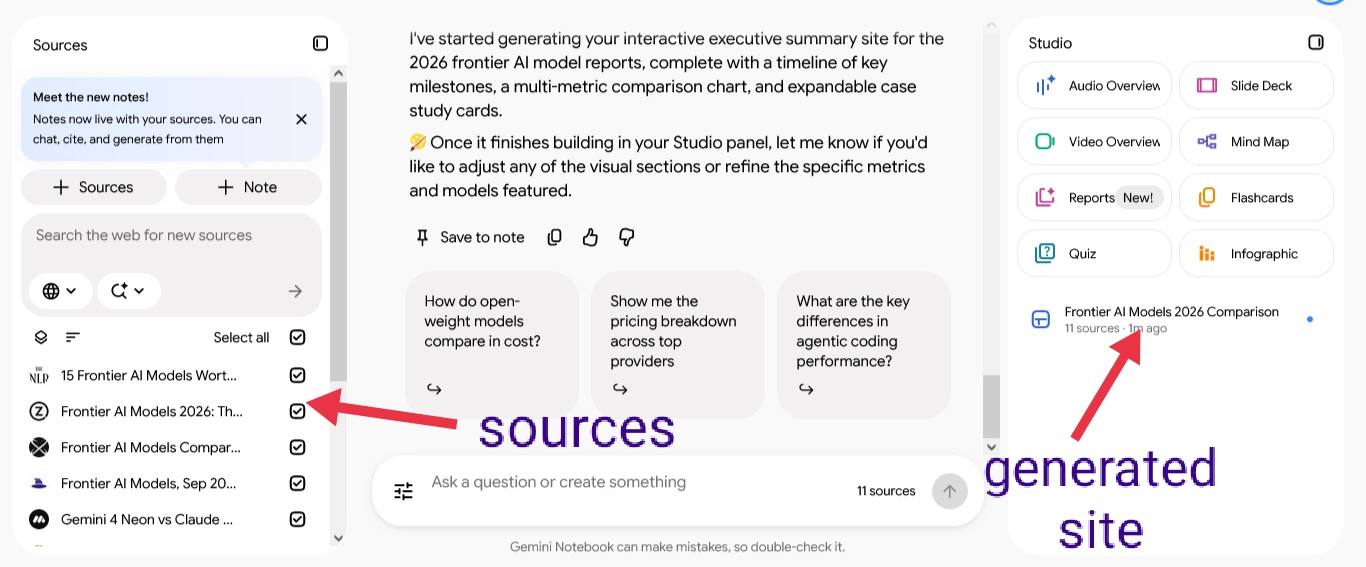
- Test in a Full Window: Click the expand icon in the top-right corner of the preview pane to open the website in a separate browser tab and test dropdown menus, charts, and interactive components.
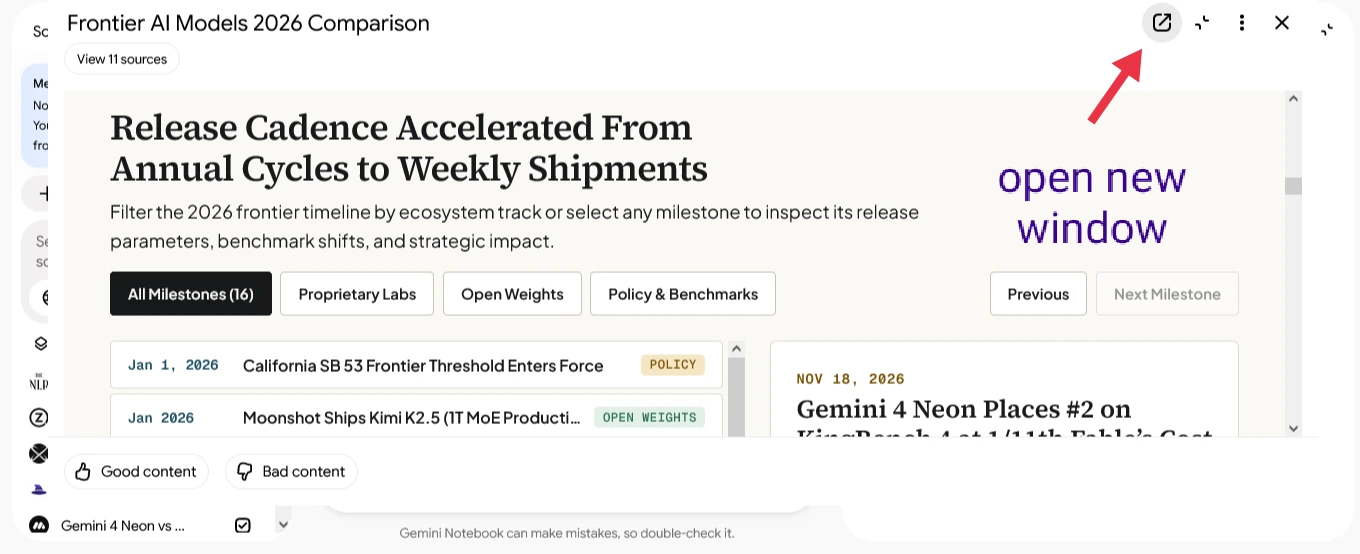
- Edit and Manage Versions: To change colors or add new sections, request modifications directly in the chat. Gemini Notebook preserves previous versions inside the Studio panel and creates a separate card for each new iteration.
Ready-to-Use Prompts for Better Results
Copy and customize the following prompts to fit your uploaded files:
- Build a Sales Dashboard from Google Sheets:
“make me a site that acts as an interactive sales dashboard based on the attached sheet. Include filters by region and month, summary cards for total revenue, and a searchable table for individual transactions.” - Build an Interactive Study Guide from PDFs:
“make me a site structured as a visual study guide from these documents. Organize the content into collapsible chapters, add a searchable glossary of key terms, and build a 10-question interactive quiz at the bottom with instant score feedback.” - Build an Executive Project or Research Brief:
“make me a site presenting a clean executive summary of these reports. Add an interactive timeline of key dates, a comparison chart for the main metrics, and expandable cards for detailed case studies.”
Practical Use Cases in Business, Education, and Journalism
Teams across multiple fields use the feature to turn static text and raw numbers into visual web experiences without hiring developers:
- Education and Training: Instructors can upload PDF lecture notes and convert them into self-paced study hubs featuring flashcards and multiple-choice quizzes with instant grading.
- Business and Sales Analytics: Instead of emailing complex spreadsheets, project managers can turn Google Sheets into interactive dashboards that allow leadership to filter metrics by month or region in one click.
- Investigative Journalism: Reporters can upload public records and official filings to build reader-friendly explainer pages complete with event timelines, key figure profiles, and searchable data tables.
Gemini Notebook vs. Gemini Canvas vs. Google AI Studio
Google offers three distinct tools for generating code and interactive interfaces, and choosing the right platform depends on your data source and deployment needs:
| Comparison Criteria | Gemini Notebook | Gemini Canvas | Google AI Studio |
|---|---|---|---|
| Primary Data Source | Relies exclusively on checked source files inside your notebook | Relies on real-time chat prompts and general model knowledge | Relies on custom code and direct API integrations |
| User Interaction Model | Saves each visitor’s state independently without altering source files | Shared workspace for live text and code editing | Developer testing and prototyping environment for full applications |
| Publishing & Export | Share notebook link or download a standalone HTML file | Share page link or copy raw source code | Export full codebase or deploy to cloud infrastructure |
| Best Use Case | Turning research documents and sheets into quick web apps and dashboards | Drafting content and testing rapid UI prototypes | Building scalable, production-grade AI applications |
Key Limitations and Privacy Warnings Before Sharing
The website builder enforces three technical and security constraints that restrict its use in commercial or confidential projects:
- Privacy Warning and Source Exposure: Generated sites do not operate as isolated front-ends detached from your underlying files. Sharing a site link grants visitors access to the entire notebook-including every uploaded document inside it-making link sharing unsuitable for confidential contracts or private client data.
- No Custom Domains or Search Indexing: You cannot connect a custom domain, and generated pages do not appear in public search engine results. Publishing options are limited to sharing a direct link with Google accounts or downloading a standalone HTML file to upload manually to an external host.
- Standardized Layouts and Availability: Generated sites rely on clean, uniform visual templates rather than offering granular UI customization like dedicated web development platforms. The feature is currently available on desktop web browsers for users aged 18 and older and Google Workspace accounts, while mobile app support remains in development.
Frequently Asked Questions
Do I need a paid subscription to use the Gemini Notebook website builder?
The feature is available to free Gemini Notebook web users within daily usage limits, while Google AI Pro and Google Workspace subscribers receive higher quotas for notebooks, sources, and site generations.
Can I edit the website design after downloading it?
Yes. Downloading your site exports a self-contained HTML file containing the layout and interactive logic, which you can open in any code editor to customize or host on your own server.
Why don’t I see a “Create Website” button in my interface?
Google has not added a dedicated button for this tool in the Studio panel. You activate it by typing a direct prompt-such as “make me a site”-into the chat box after selecting your active sources.
This capability turns static research files into interactive web pages without a development cycle. Instead of sending dense PDFs or static spreadsheets that readers struggle to navigate, journalists, researchers, and educators can package their findings into live, interactive web experiences in minutes.