Create AI Movies for Free with MovieFlow.ai: Complete 2025 Guide
In the fast-paced world of content creation, turning a simple idea into a full-blown cinematic video has never been easier.
If you’re searching for the best free AI video generator or wondering how to create AI movies without breaking the bank, MovieFlow.ai is your go-to tool.
This comprehensive guide will walk you through everything you need to know about MovieFlow.ai, from its features to a step-by-step tutorial on how to use MovieFlow.ai for stunning results.
Whether you’re a beginner marketer, educator, or aspiring filmmaker, this AI movie maker empowers you to produce professional-grade videos in minutes. Let’s dive in!
Introduction: A Cinematic Studio at Your Fingertips
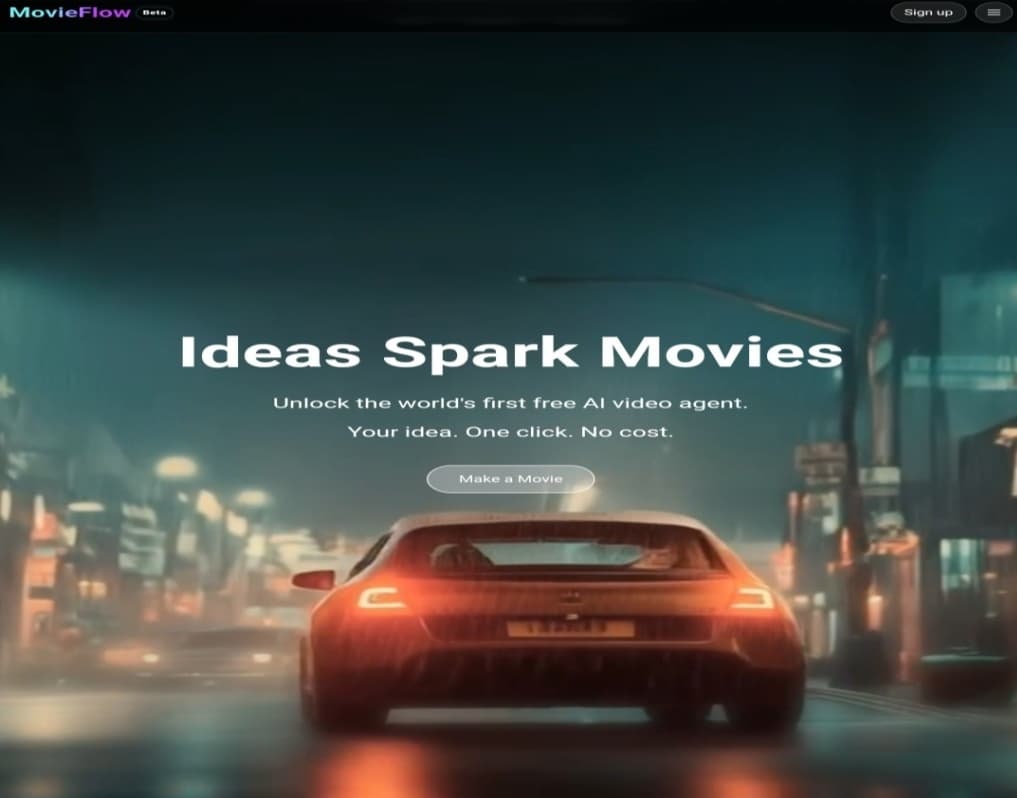
MovieFlow.ai is an innovative AI-powered cinematic studio designed to transform any text-based idea into a complete cinematic video.
With the tagline “Your Idea. A Movie. In Minutes,” the platform leverages specialized AI agents to automate the entire production process-from story writing and character design to directing and editing.
This makes high-quality video production accessible to everyone, for free, regardless of your technical expertise.
Launched in 2025, MovieFlow.ai stands out as a free AI film generator that rivals paid tools, offering seamless integration of video, audio, and visuals all in one place.
Perfect for social media clips, ads, or short films, it’s revolutionizing how creators like you bring stories to life.
Exploring the Styles and Models Available in MovieFlow.ai
One of MovieFlow.ai’s standout features is its incredible variety of content types and styles, making it versatile for any project.
Draw inspiration from the “Inspiration Labs” section, which provides ready-to-use categories tailored to different needs.
Here’s a breakdown of the key options:
- Narrative Videos: Ideal for creating short films and dramatic scenes that tell a compelling story.
- Music Videos: Transform song lyrics into visually engaging narratives that sync perfectly with beats.
- Educational Content: Produce simplified, captivating explainer videos to make learning fun and accessible.
- Commercial Ads: Design short, impactful advertisements for your products or services to boost engagement.
- 2D & 3D Styles: Add a unique artistic flair, such as Japanese anime or comic book aesthetics, for eye-catching visuals.
With over 75 animation styles and 65+ dynamic transitions available (especially in premium upgrades), MovieFlow.ai supports everything from realistic cinematic looks to stylized animations.
Whether you’re aiming for a Hollywood trailer or a TikTok-ready clip, these models ensure your AI-generated videos match your vision. Plus, multi-language support lets you reach a global audience effortlessly.
How to Use MovieFlow.ai: From Idea to Movie in 5 Simple Steps
MovieFlow.ai’s user-friendly interface is intuitive and interactive, guiding you through the production process with ease. No prior experience required-just follow these steps to create your first AI movie:
1. Start Your Project with a Simple Idea
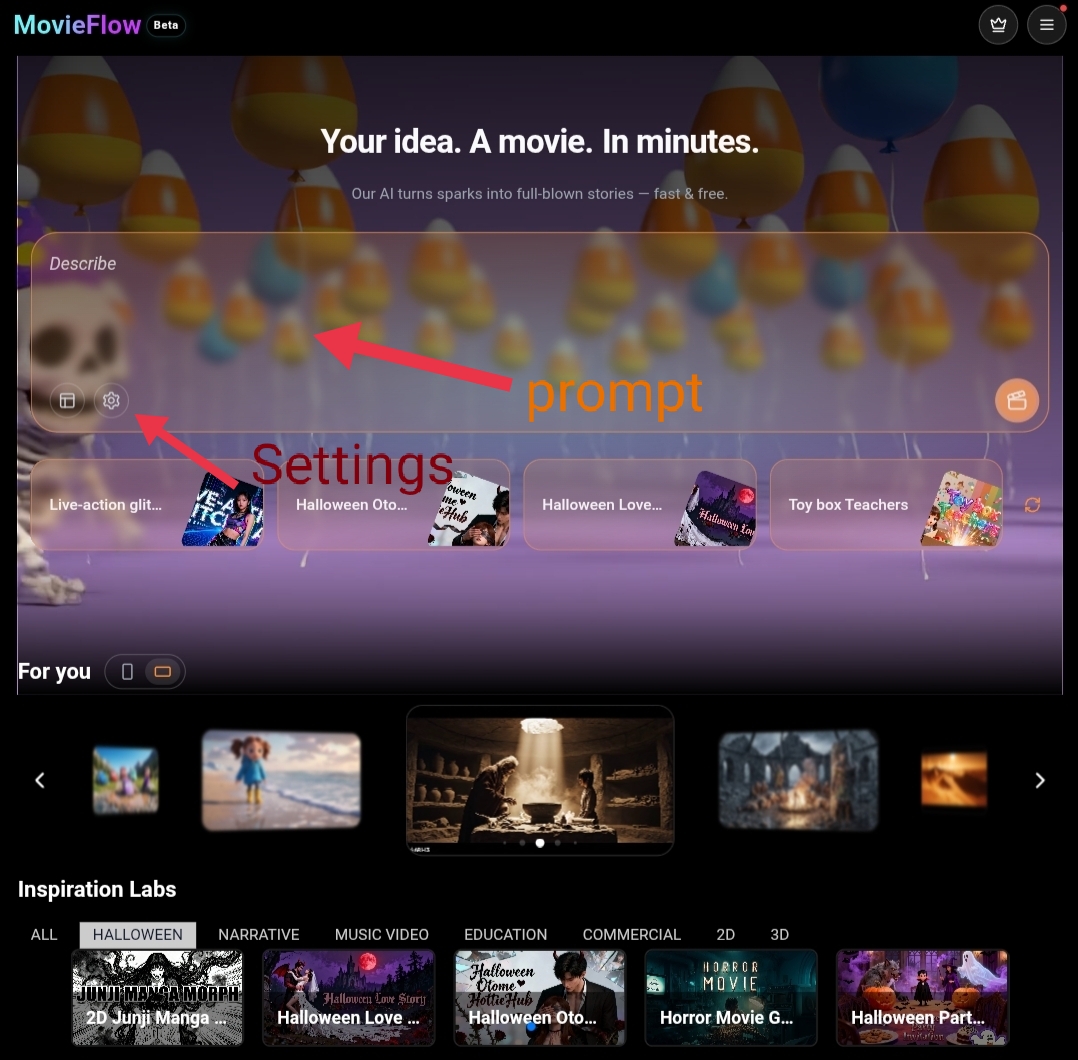
On the homepage, you’ll find a large text box prompting you to “Describe the story you want…”.
Enter your core idea or text prompt (prompt) here. For more control, click the settings icon next to the text box to access advanced options.
2. Adjust Initial Video Settings
Clicking the settings icon opens a pop-up “Video Settings” window. Customize your video with these key options:
- Language: Select your preferred language for voiceovers and subtitles.
- AI Copilot: Enable this for interactive assistance throughout the process.
- Duration: Choose an approximate length (8 seconds, 1 minute, 2 minutes) or let it auto-detect based on your prompt.
- Aspect Ratio: Opt for vertical (Portrait) for mobile/social media or horizontal (Landscape) for YouTube/desktop.
- Video Style: Pick from a dropdown menu, such as Anime, Cinematic, or Comic Book, to set the visual tone.

3. Develop the Story Through an Interactive Storyboard
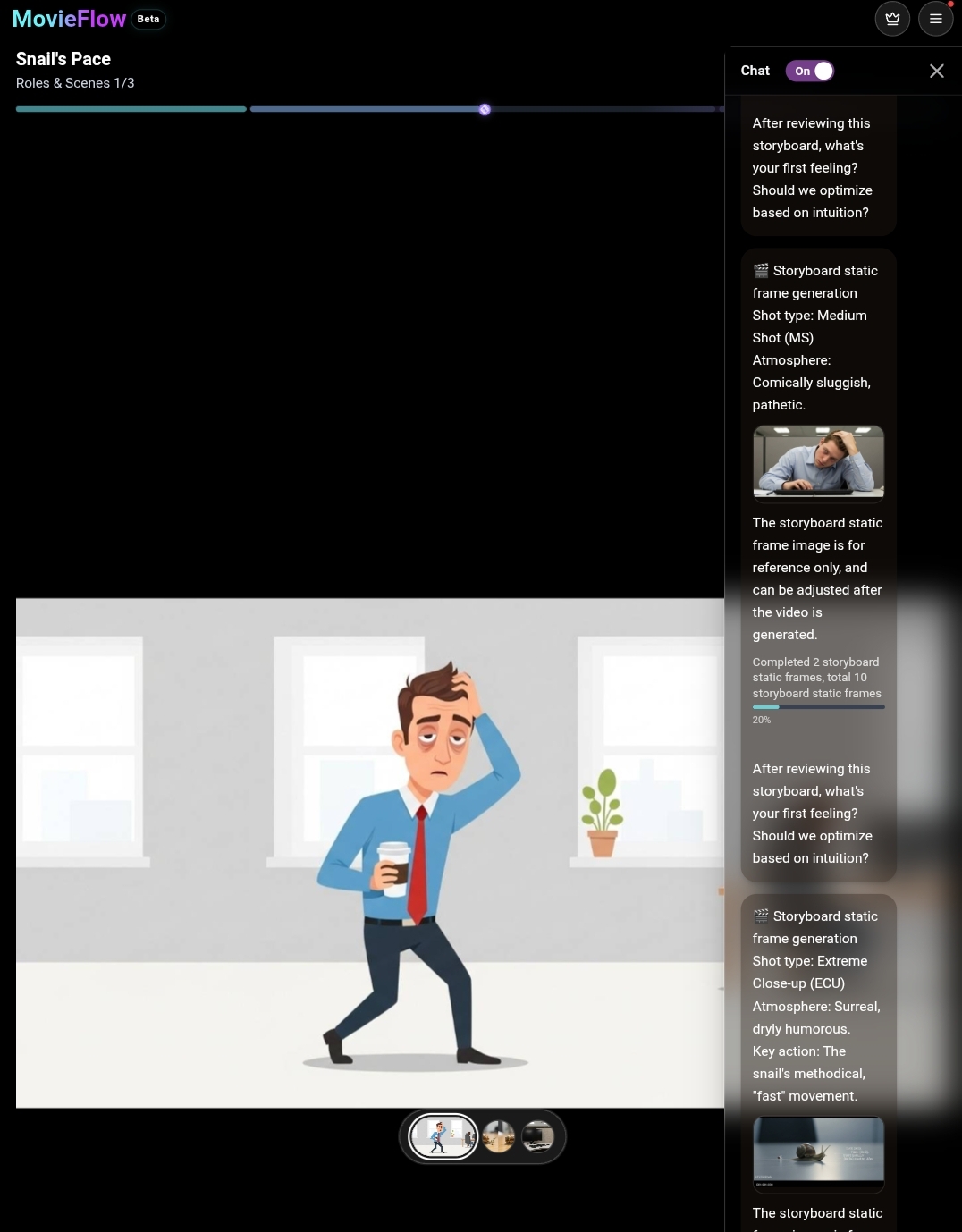
This is the most creative phase! Instead of generating the video outright, the AI Copilot takes you on an interactive chat-based journey to build a “Storyboard.” Here’s how it works:
- Frame Previews: It presents static frames for each proposed scene.
- Detail Descriptions: For every shot, it outlines specifics like shot type (e.g., close-up or wide-angle) and overall atmosphere (e.g., tense or whimsical).
- Your Input: It asks for your feedback directly (“What’s your initial feeling?”), allowing you to refine and direct the story in real-time.
This collaborative approach keeps your vision intact while saving hours of manual work-perfect for iterating on ideas without starting over.
4. Generate the Final Video
Once you’re happy with the interactive storyboard, hit the “Generate” button.
The platform then converts your approved static frames and directions into a fully animated video, complete with smooth camera movements, effects, and audio integration.
Generation typically takes just a few minutes, depending on complexity.
5. Preview, Download, and Share
When ready, preview the full video. If it meets your expectations, download it. (Note: Video creation and previews are free, but watermark-free downloads require “credits”.
From there, share directly to platforms like Instagram, TikTok, or YouTube. Upgrades unlock unlimited generations and longer durations (up to 30 minutes in full HD).
See How Text Turns into Video: A Practical Example
To illustrate MovieFlow.ai’s power, let’s walk through creating a short, funny commercial for a fictional “Rocket Fuel Coffee” brand.
Text Prompt (Prompt):
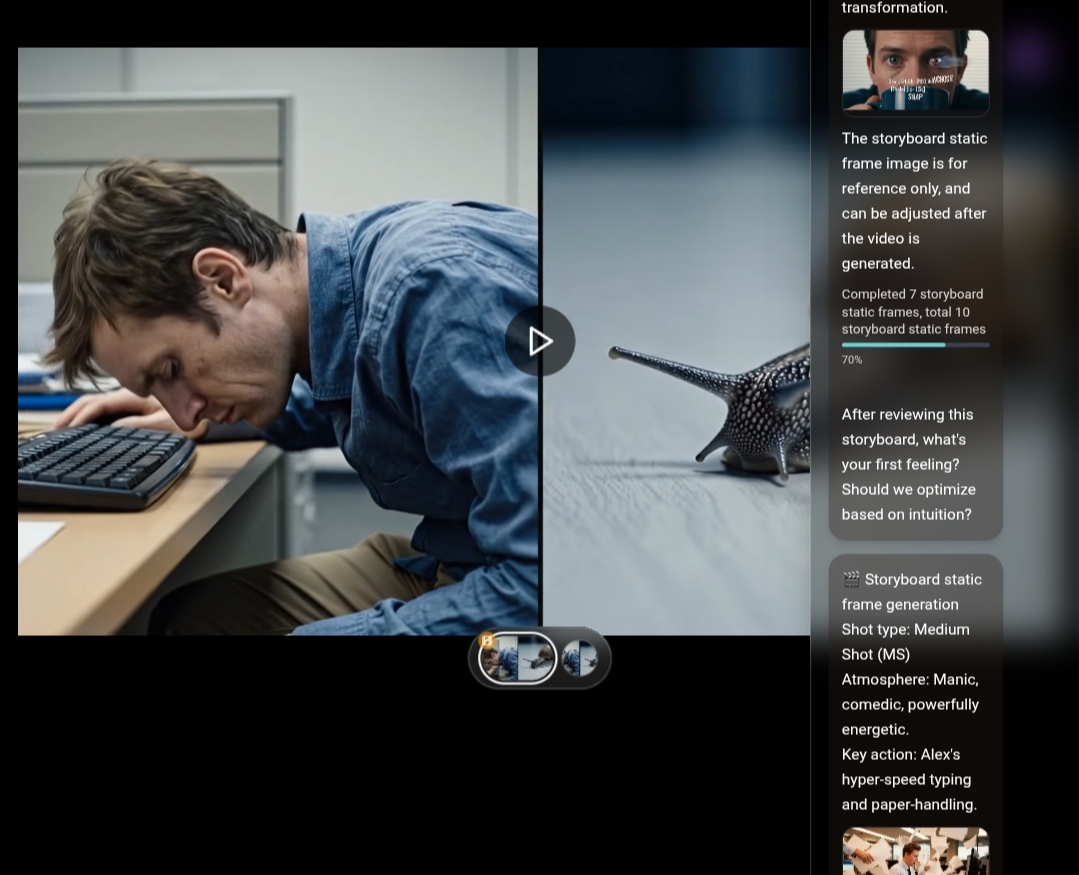
“A short, funny commercial for ‘Rocket Fuel Coffee’. Scene 1: A person at an office desk, moving in extreme slow motion, looking very tired. A pet snail on the desk overtakes them. Scene 2: The person takes one sip of the coffee. Their eyes widen. Scene 3: They are now typing at lightning speed, papers flying everywhere, as the snail watches in astonishment.”
After entering this, the AI Copilot builds the storyboard: It suggests a medium shot for the slow-motion office scene with a comedic atmosphere, then a close-up for the coffee sip, and so on-asking for your approval at each step.
Conclusion: Your Future in Video Creation Starts Now
Gone are the days when video production was reserved for professionals with expensive equipment.
With MovieFlow.ai, anyone can turn ideas into impactful visual stories through an interactive and enjoyable process.
Whether you’re creating social media content, building your brand, or simply expressing your creativity, this platform provides the tools you need.
We invite you to try MovieFlow.ai for free today and unlock its unlimited possibilities. Start your AI movie-making journey now and see why it’s the ultimate free AI video generator for 2025!